





Guarantee safe & secure checkout
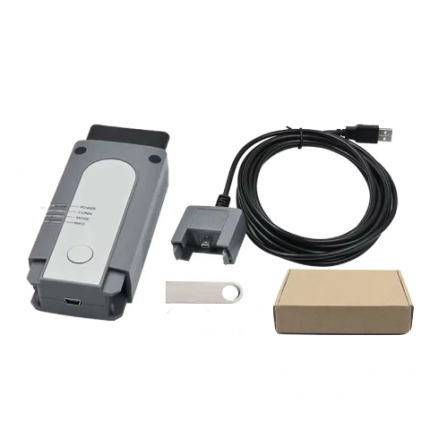
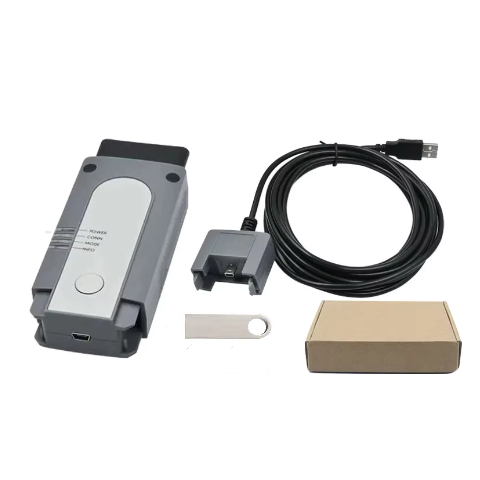
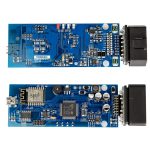
VAS 6154 Interface is an updated version of VAS 5054 and supports wireless connection.
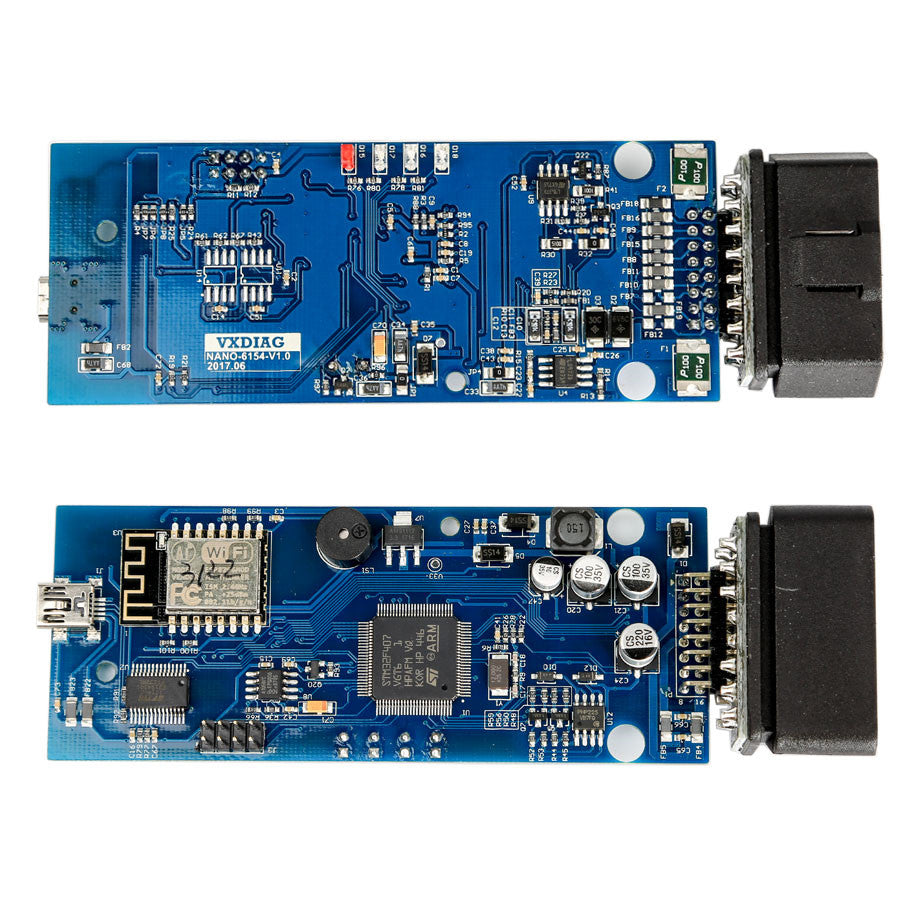
V.AS 6154 is a professional VAG (for V.W, for A.udi, for Skoda) diagnostic tool, with an OKI chip, that supports UDS Protocol, support WiFi and USB connection.

What is V.AS 6154 interface:
The V.AS 6154 interface is the latest diagnostic and programming solution for VAG ODIS applications, offering a modern alternative to the VAS 6154 and VAS 5054A.
V.AS 6154 Driver Wifi Diagnostic Tool Highlights:
1. Fully replace the V.AS 5054A
2. Compatible with ODI-S Software V25.03 (HDD/SSD)
3. Support UDS protocol, support WIN10, seriver S-, engineer E
4. Support WIFI & USB Connection: With wireless communication technology, can achieve wireless communication of the vehicle and diagnostic interface
5. Support for V.W, for A.udi, for Skoda, for Seat, for Bentley and Lamborghini vehicles NEW & FUTURE MODELS under production.
6. Support both USB and WIFI connection to PC. With Type-C USB connection, runs Faster.
7. Use the VCX driver. Firmware/License Free update on VX Manager
Driver download link: V-AS 6154 driver
8. Support online coding and programming, need online account
Why Choose V.AS 6154?
【Programming】Support online Coding and Programming service, VXDAS provide online account
【Software】V25.03 (HDD/SSD), now don’t come with CD software, please provide order number then contact VXDAS sales for download link
【Vehicles】Support all V.W, A.udi, Skoda erc. including NEW & FUTURE MODElS under production.
【Connection】Support WIFI & USB Connection
Wi-Fi V.AS 6154 Powerful Functions:
1. Full system diagnostic and programming
2. Read and Clear Code
3. Dynamic data flow
4. Personalized settings,including maintenance information systems, technical briefings, circuit diagrams, component drawings, diagnostic guidelines
5. Key Programming ( Need online account, we supply one-time account>>>
V.AS 6154 ODI-S Software Include:
1. Software Version: V25.03 (HDD/SSD)
Note: Now doesn’t come with CD software, we supply download link.
Check here: ODI-S Software Download Link
2. ODI-S Engineer Software: V19 Version
3. ETKA 8.3, data updated to 2023
4. Elsawin 6.0, support V-W, A-udi, data updated to 2016.1
5. Multi-language: English, Japanese, Portuguese, Romanian, Korean, Dutch, Polish, Turkish, Spanish, French, Italian, Croatian, Danish, German, Swedish, Finnish, Slovenian, Czech, Russian, Greek, Chinese

Notice:
- For download link software, we don’t provide remote install service, you need to install by yourself, we recommend ODI-S HDD/SSD software.
- HDD/SSD software requires activation.When you get the HDD/SSD software, Insert the HDD/SSD into the laptop, just send the Teamviewer ID and password to us (Support Online or Whatsapp ), we will activate for you.
- The V.AS 6154 we DO NOT recommend to use as Piwis interface! If you must change it to use as Piwis interface, VXDAS TEAM will not provide after-sale service, refunds and exchanges are not supported.
V.AS 6154 ODIS Software New Functions:
1. Estimated remaining times are shown for ECU flash operations.
2. Diagnostic protocol contains interruptions of GFF sessions, extended measurement values, improved ECU communication view, used diagnostic hardware, connection type of diagnostic hardware, operating system, the hotfix used and submissions of support requests
3. The measured value display has been improved.
4. Documents in GFF are displayed in separate windows.
5. One message box will be shown at the beginning of the test drive mode.
6. GFF hotfixes can be integrated during diagnostic sessions.
7. Danger messages have been revised.
8. Stopping diagnostic sessions may be interrupted.
9. Automatic deletion of autosave diagnostic protocols after successful transmission.
10. Selection of PassThru diagnostic hardware has been improved.
11. ODI-S Service Software update has been stabilized
12. Support UDS Protocol
V.AS 6154 Driver Install Guide for Latest ODI-S Software (win7)
Lenovo T430 4G configuation:
Model: Lenovo T430
CPU: I5/2520
Memory: 4G
Used laptop, not brand new.
Note:
1. Laptop is used one without logo, not brand new. If you need logo, please contact VXDAS sales to confirm.
2. Our laptop is second-hand, has slight defects on the appearance, please don’t purchase if you mind.
How to get VAS 6154 Pre-installed software to work?
V.AS 6154 Driver Infrastructure mode:
In infrastructure mode, several network-capable devices can be connected together (network subscribers).
For a wireless network, a WLAN access point is required. This access point forms the connection to WLAN-ready subscribers.
V.AS 6154 Point-to-point connection:
With a point-to-point connection via a wireless network, V-AS 6154 creates a radio network. V.AS 6154 thereby adopts the role of a radio access point (Access Point).
A direct connection is made between the diagnosis unit and the diagnosis interface V.AS 6154.
V.AS 6154 is configured using the web-based user interface.
V.AS 6154 Design and features:
Two equipment versions:
One version includes a wireless network and USB module
One version without a wireless network module (the wireless network module can be retrofitted at any time provided national regulations permit).
V.AS 6154 vs V.AS 5054
Different Between V.AS 6154 and V.AS 5054 |
||
| Product | V.AS 6154 | V.AS 5054 |
| Communication Way | USB, WiFI | USB, Bluetooth |
| Vehicle Models Coverage | All V.W A.udi Skoda Seat vehicles from 2000 onward including NEW & FUTURE MODELS. Also, Lamborghini, and Bentley vehicles are supported. | V-W A-udi Skoda vehicles, for Seat Bentley Lamborghini, only V-AS5054 interface running with V-AS-PC V19 software can work |
| Compatible System | Work with the Win10 system perfectly | Better to have Win7, with our Win10 the software can work well |
| Remote programming | As for remote programming through V-AS software, you have to use V-AS 5054 or V-AS 5055 head. The V-AS 6154 cloned head only works with OBDII diagnostics and online programming. V-AS 6154 clone and V-AS 5054 China clone share the same features: Both working ODI-S service software crack | |
V.AS 6154 Driver Technical Parameters:
Dimensions: approx.136x48x25mm
Weight: approx.150g
Power supply: 8-18V via vehicle connector
Output: approx.5W
Temperature range: Storage -20°C to +85°C, operation -20°C to +40°C
PC interface (wired): USB 2.0 High Speed, 480 Mbit/s or Fast Ethernet, 100Mbit/s (via LAN module)
PC interfaces (wireless): WLAN 802.11 ab/b/g/n 2T2R 300 Mbit/s Client Mode (WPA2 EAP-TLS, WPA2 PSK)
AP mode (WPA2 PSK)
Three Options for you to Choose
Option 1:V.AS 6154 Hardware
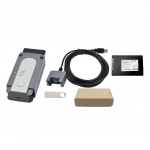
- 1pc x V.AS 6154 Diagnostic Interface
- 1pc x USB cable
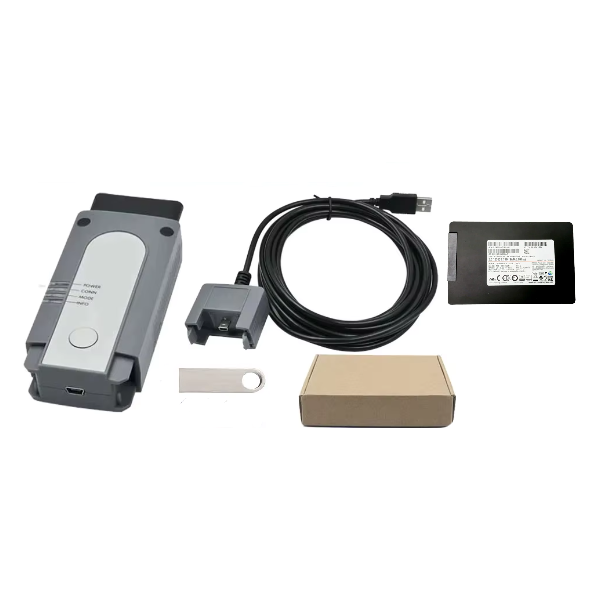
Option 2: V.AS 6154 Hardware With Software
- 1pc x V.AS 6154 Diagnostic Interface
- 1pc x USB cable
- 1pc x ODI-S 256 SSD Software
Option 3: V.AS 6154 Hardware With Laptop and Software
- 1pc x V.AS 6154 Diagnostic Interface
- 1pc x USB cable
- 1pc x ODI-S 256 SSD Software (Installed in laptop)
- 1x Lenovo T430 Laptop (Used one, not brand new)
Questions You May Want to know
Q1: When I install software for my V.AS 6154, it prompts there is a virus in it, how to do?
A1: Please disable the anti-virus software.
Q2: Does ODIS software come with ODIS engineering software or only ODIS service?
A2: Both have.
Q3: I have V.AS 6154, can I program key online?
A3: Yes, you can. But you need online account, we can supply the one-time account.
Q4: Does V.AS 6154 support online coding function?
A4: Yes, it supports.
Q5: Can V.AS6154 program Passat TDI SEL 2014 key?
A5: Yes, It can.
Q6: Does V.AS 6154 work for my VW GTE (plugin hybrid)?
A6: Yes, V.AS 6154 can work for your this VW car.(-2024)
Q7: Does V.AS 6154 support Volkswagen diesel vehicles from 2006 to 2023?
A7: yes, it can

Money Back Guarantee
Invest in our equipment with absolute confidence, backed by our satisfaction guarantee.

1 Year Warranty
Our dedicated team provides timely assistance, committed to addressing your queries.

Customers Services
Our dedicated team provides timely assistance, committed to addressing your queries.
walid nezam –
Wireless connection I like
Just I like wireless connection, so I buy this one to replace my 5054, it seems works well as my 5054 and with wireless
walid nezam –
Wireless connection I like
Just I like wireless connection, so I buy this one to replace my 5054, it seems works well as my 5054 and with wireless
Gustavo Gonzalez –
VAS 6154 Work Like Dealer Level
I have one vas 5054A but i bought one VAS 6154 also , VAS 6154 interface support wifi connection. i did test about diagnosis and program , all worked well without problem , just like the dealer level one.Thanks
Johann Schanz –
Good After-Sell Service
VAS 6154 is fast shipping with DHL and i got problem when installing the ODIS software v4.3.3. Seller was very kind and help me fixed it via remote teamviewer. I love it.
Johann Schanz –
Good After-Sell Service
VAS 6154 is fast shipping with DHL and i got problem when installing the ODIS software v4.3.3. Seller was very kind and help me fixed it via remote teamviewer. I love it.
Gustavo Gonzalez –
VAS 6154 Work Like Dealer Level
I have one vas 5054A but i bought one VAS 6154 also , VAS 6154 interface support wifi connection. i did test about diagnosis and program , all worked well without problem , just like the dealer level one.Thanks
Vesta Selene –
VAS 6154 Driver Technical Parameters
Vas 6154 works perfect with win7 ,support partial win10 models ,but not for all? . It can read and clear code, dynamic data flow, programming,coding, and personalized settings,
Vesta Selene –
VAS 6154 Driver Technical Parameters
Vas 6154 works perfect with win7 ,support partial win10 models ,but not for all . It can read and clear code, dynamic data flow, programming,coding, and personalized settings,
Mr.Yanella –
Vas 6154 function is very stable.
Vas 6154, can be connected by wireless connection, the function is very stable.
Mr.Yanella –
Vas 6154 function is very stable.
Vas 6154, can be connected by wireless connection, the function is very stable.
Pablo Yanella –
thank you for the activation
software was well installed, and thank you for the activation .too
Pablo Yanella –
thank you for the activation
software was well installed, and thank you for the activation .too
Mr.petros –
ODIS Service 5.1.5 and ODIS Engineering 11.0.0 works just fine
I was using VAS 6154 with Windows 10 Pro X64. ODIS Service 5.1.6 and ODIS Engineering 11.0.0 works just fine (DTC, coding, etc.), but failed to do flashing.
Mr.petros –
ODIS Service 5.1.5 and ODIS Engineering 11.0.0 works just fine
I was using VAS 6154 with Windows 10 Pro X64. ODIS Service 5.1.6 and ODIS Engineering 11.0.0 works just fine (DTC, coding, etc.), but failed to do flashing.
Mr.carlos –
Successful operation on version 5.1.5
Nevermind. I successfully got it. Reinstalled software on a windows 7 machine and chose vas6154 for interface. Successful operation on version 5.1.5. Thank you
Mr.carlos –
Successful operation on version 5.1.5
Nevermind. I successfully got it. Reinstalled software on a windows 7 machine and chose vas6154 for interface. Successful operation on version 5.1.5. Thank you
USA user –
Extremely hard to setup
All you get is a video. Everything is so ambiguous. From whether or not you need to run on Win 7 or 10. It says 10 then they say it can run on 7…You need A LOT of disk space. I purchased 6154 with ODis 5.2.6 and it’s just a mess. 6154 is supposedly run off wifi, but then you get an app that wants to run it off bluetooth, which is the 5054…supposedly again. To be honest just save yourself the massive headache and just buy their HDD and SSD for two hundred and save yourself the agony. It’s my third week trying to get all this hardware and software to work and it’s just a mess. The support want’s you to use teamviewer so they can get into your computer to do things for you. I’m a little uncomfortable about that. Things would be so much easier if they directions were clear cut. It’s just one road block after another. Another problem is that the support is in China and do not reply to emails really. You have to use the chat on this website or the skype or another app. Way to complicated and still not done.
Ryan –
I tested WiFi VAS 6154 and it works with ODI-S engineering, 2020 VW cars will not work with VAS 5054, so your device is good.
Jason –
Service Nice
Ship amazingly fast, I received my package a few days later after I placed the order. And customer service is particularly good, I got driver quickly with customer service’s help.
Abdul Razak –
Odis tool
Is working good, but want to ask if this tool can work on Lamborghini, Bugatti and Bentley as shown on the desktop on.
Kundrel Austin –
Software is txt basic because youtube took video down
The process is only long because of mega if you’re using the free version, if you ever install a program before then this not hard to do. Once you do have the software download and extract all you have to do is follow most online youtube how to. THERE’S A LOT TO BE HONEST JUST PICK ONE FOR THE VIDEO NOT AUDIO OF THE PERSON. You just want to follow the person step by step. The copy and paste process and more. Pros: if you have a fast computer then its not a problem and if you are using windows higher then 7 l, you will be okay just stop the built-in virus program with windows. You can install the postsetup updates. Cons: You have to turn off you virus program to install this device and software, also the postsetup process is about an hour long so at some point you think the system just downloading the same items but if you look at the times they will be different. There about 5 to 6 postsetup updates before the software is completely installed on computer. I will be trying the software qnd device out sometime this week and try to purchase 2 time the login service from them. I dont think the process is bad just long. I hope this helps for a lot of you looking for a answer cheers ????
Perdue –
VAS615 with latest ODIS V11.0 software
I live in Europe, seller can offer me free customs tax shipping way for VAS6154, and VAS6154 can work well with my VW and Audi cars
Chris –
Hard to get started but once it works it is awesome
The V-AS 6154 Interface is a powerful and reliable diagnostic tool that makes it easy to diagnose and fix problems with my VW Audi Skoda. It’s easy to use, and the instructions are clear and concise. I highly recommend it to anyone who wants to get the most out of their car.
Vesta –
VAS6154
I recently had the opportunity to use the V-AS 6154 diagnostic tool, and I am extremely impressed with its performance and features. This tool is specifically designed for use with V*lksw*gen and Audi vehicles, and it has proven to be an invaluable asset for diagnosing and repairing various issues.
Kaizen –
VAS 6154 Interface VAG Diagnostic Tool With OKI Chip for VW Audi Skoda till 2023
the V-AS 6154 Interface VAG Diagnostic Tool with OKI Chip is a highly recommended diagnostic tool for VW, Audi, and Skoda vehicles until 2023. With its wide vehicle compatibility, advanced OKI Chip, user-friendly interface, durability, and regular software updates, this tool offers a reliable and efficient solution for diagnosing and troubleshooting vehicle systems.
Asaiah –
VAS 6154
the VAS 6154 Interface VAG Diagnostic Tool is its durability and robustness. The device is built to withstand the demands of professional use, ensuring longevity and consistent performance in various working environments. This makes it a reliable tool for daily diagnostic tasks.
Zamir –
latest ODIS software can work with new cars
the VAS 6154 Interface VAG Diagnostic Tool comes with regular software updates, ensuring that users have access to the latest manufacturer-specific diagnostic functions and improvements. This guarantees compatibility with new vehicle models and enables technicians to stay up-to-date with the ever-evolving automotive industry.
Atticus –
durable tool
The device provides clear instructions, intuitive controls, and detailed error codes, simplifying the troubleshooting process and saving valuable time.
Oliver –
good to use and helpful tool for my car work shop
The VAS 6154is a remarkable device that offers comprehensive diagnostic capabilities for VW, Audi, and Skoda vehicles until 2023. This tool is an essential asset for automotive technicians and enthusiasts who require accurate and efficient diagnosis of vehicle systems.
Elliot –
this tool is useful for my car shop
One of the key highlights of the VAS 6154 Interface VAG Diagnostic Tool is its compatibility with a wide range of Volkswagen, Audi, and Skoda models. This ensures that users can confidently diagnose and troubleshoot various vehicle systems, including engine, transmission, ABS, airbags, and more.
River –
VAS6154 can work with old ODIS software
I only buy VAS6154 without software disk drive, and first time try to use VAS6154 with my old version ODIS V6.10, it occur this error. VXDAS seller send me drive link, after install this drive, I can use VAS6154 with my old software to work with VW, thanks. and here is video link of how to install drive: https://mega.nz/file/JT5ACAJS#wW36V_xMVilieAumxXI6RRhfVnt_SFpQXR9mkarCUgs
Lincoln –
ODIS software boot up problem is solved
I already tried to use 2 laptops to use this ODIS software disk drive, after I contact help with VXDAS, they information me to follow its indication to press ctrl+alt+del, and finally laptop can boot up with this software disk drive.
Santiago –
change to use more long USB cable
I buy new one USB cable, it is common USB cable, and work with VAS6154 too
Vincent –
use ODIS software disk drive as laptop C disk drive
VXDAS told me that I needed to use the ODIS software hard drive as the computer’s C drive before they could remotely activate the ODIS software through teamviewer. Fortunately, I have a laptop that can use a 2.5-inch hard drive.
Bennett –
use teamviewer to activate ODIS V23.0 software
I saw on the VXDAS website that the latest ODIS V23.0 software needs to be activated through teamviewer, so after I received the product, I sent the teamviewer ID and password to VXDAS. After VXDAS completed the activation, I could use the ODIS software normally.
Walther H Contreras –
VAS 6154 Interface VAG Diagnostic Tool with V25.03 Software for VW Audi Skoda till 2025
An Essential Tool for Any Serious VAG Enthusiast or Independent Shop Verified Purchase | Item: VAS 6154 Interface VAG Diagnostic Tool with V25.03 Software I have been working on V.W. and Audi vehicles for over a decade, and I can confidently say this VAS 6154 kit is one of the best investments I’ve made for my garage. After weeks of use on various cars, from a 2015 Golf to a 2023 Audi Q5, I am thoroughly impressed. The Product: Top-Tier Hardware and Software The VAS 6154 interface itself is robust and well-constructed. It doesn’t feel like a cheap clone; the plastics are solid, the connectors are firm, and it inspires confidence the moment you plug it into the OBD-II port. The main selling point for me was the dual-mode connectivity. The Wi-Fi connection is incredibly stable and a game-changer, allowing me to walk around the vehicle with my laptop without being tethered by a cable. For long coding sessions or flashing modules, the traditional USB connection is rock-solid and fast. The V25.03 software is the real star here. With coverage promised up to 2025 models, it feels future-proof. The installation process was surprisingly smooth, thanks to the clear instructions provided by the seller. Within an hour, I was fully operational. The diagnostic capabilities are dealer-level. I’ve been able to: Perform Guided Fault Finding, which walks you through diagnostic steps just like the factory tool. Read and clear manufacturer-specific Diagnostic Trouble Codes (DTCs) from every single module, not just the basic powertrain codes. Access live data streams with graphing, which is essential for diagnosing tricky intermittent issues. The refresh rate is excellent. Successfully code new modules, including a replacement headlight control module and enabling hidden features (VIM, needle sweep, etc.). Run complex adaptations and basic settings, like DSG clutch adaptation and electronic parking brake service functions (EPB). Perform output tests to actuate components like fans, solenoids, and injectors. The Service: A Masterclass in Customer Support This is where the seller truly shined. Before my purchase, I had a few technical questions about laptop requirements and specific vehicle compatibility. Their support team responded within hours with detailed, knowledgeable answers. Shipping was incredibly fast and the package was well-protected. But the real test came with a minor hiccup I had during the software license activation (my own fault due to my antivirus software). I sent an email to their support, and not only did they reply quickly, but they also offered a remote TeamViewer session. A technician connected to my laptop and had the issue sorted out in less than 15 minutes. This level of patient, professional, and effective support is rare and deeply appreciated. Overall Experience & Value This tool bridges the gap between enthusiast-level scanners (like VCDS) and the official, prohibitively expensive dealership systems. The combination of a high-quality VAS 6154 interface and the comprehensive V25.03 software provides unparalleled access to VAG vehicles. The amount of time and money saved by not having to go to the dealer for diagnostics and coding is immense. If you are a serious DIYer, a VAG enthusiast, or run an independent repair shop, stop looking. This is the diagnostic solution you need. The product is excellent, but the outstanding customer service makes it a truly five-star experience. Highly recommended!