






Garantía de pago seguro y fiable
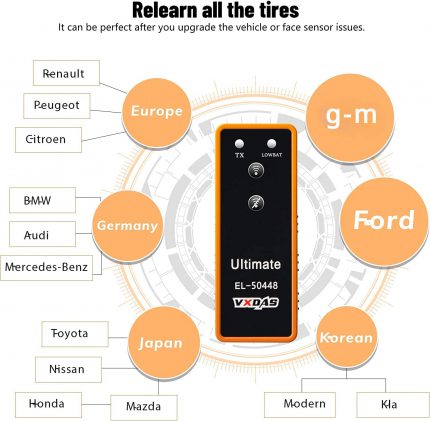
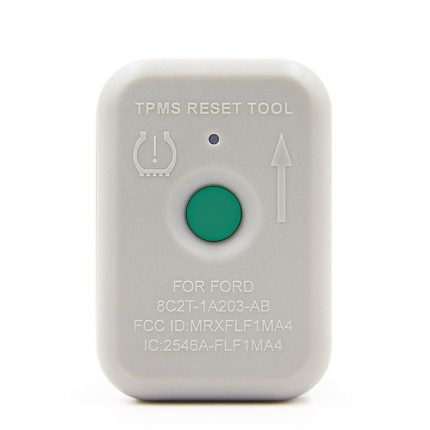
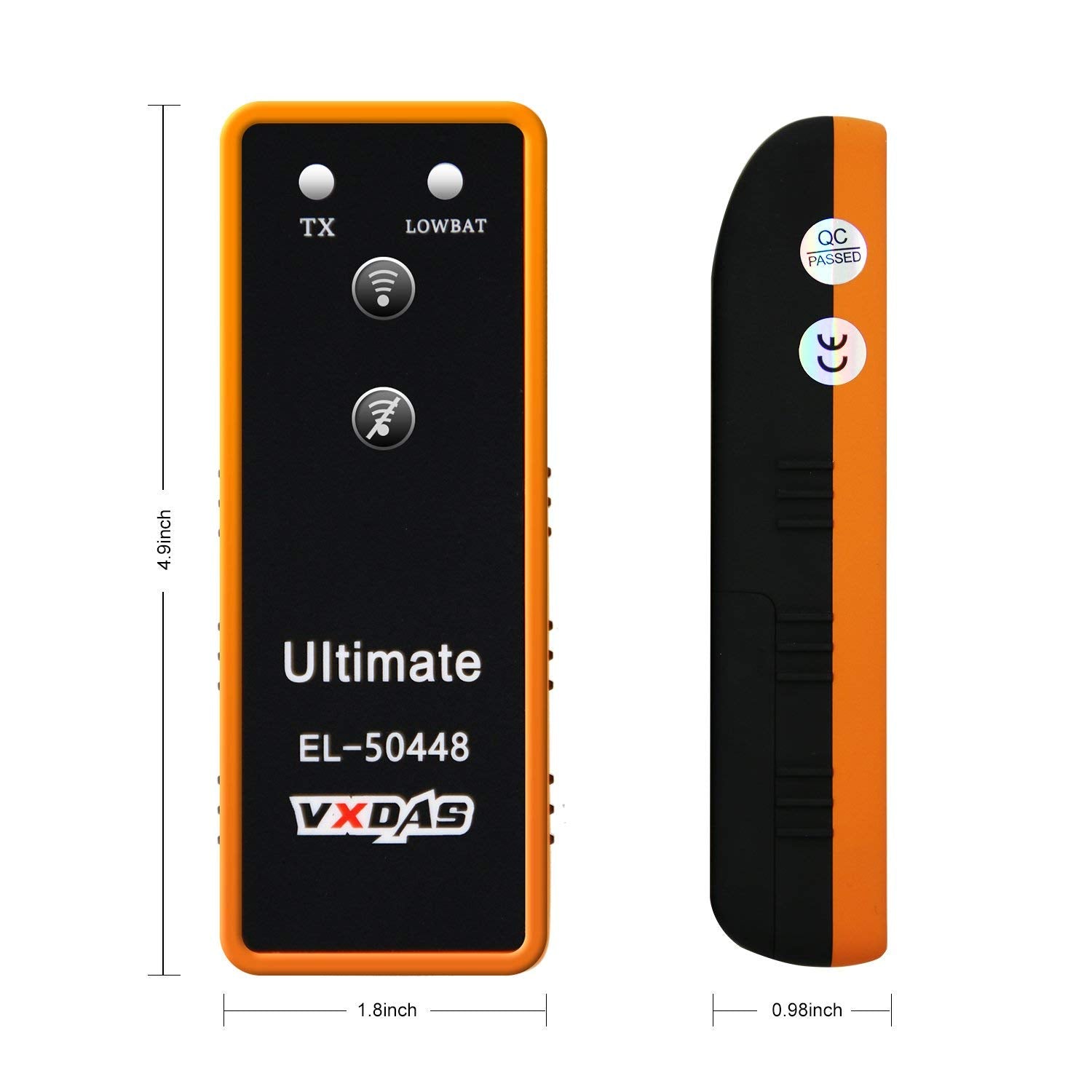
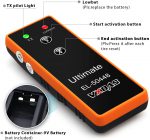
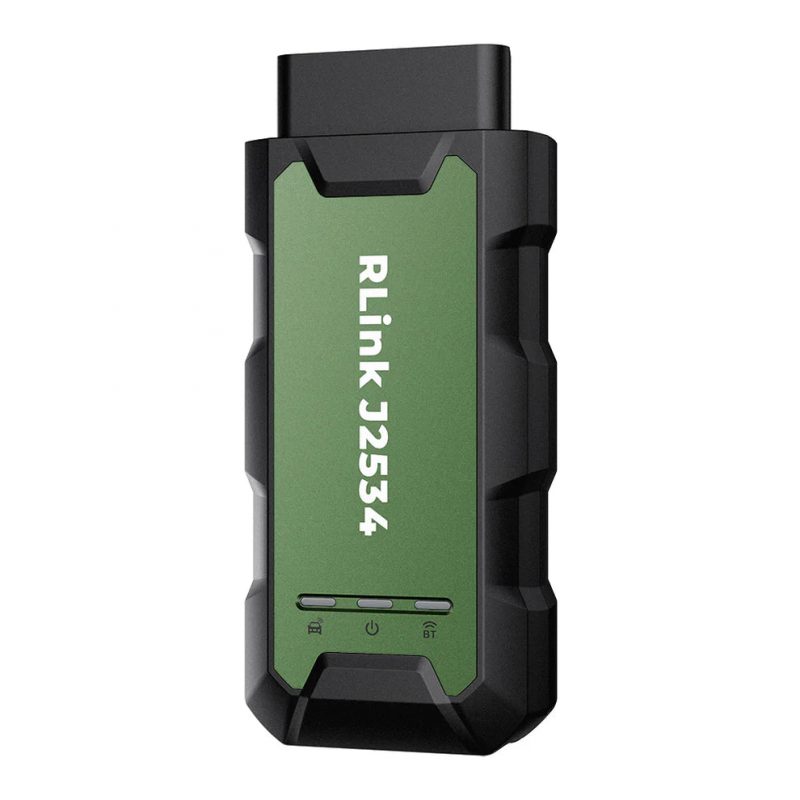
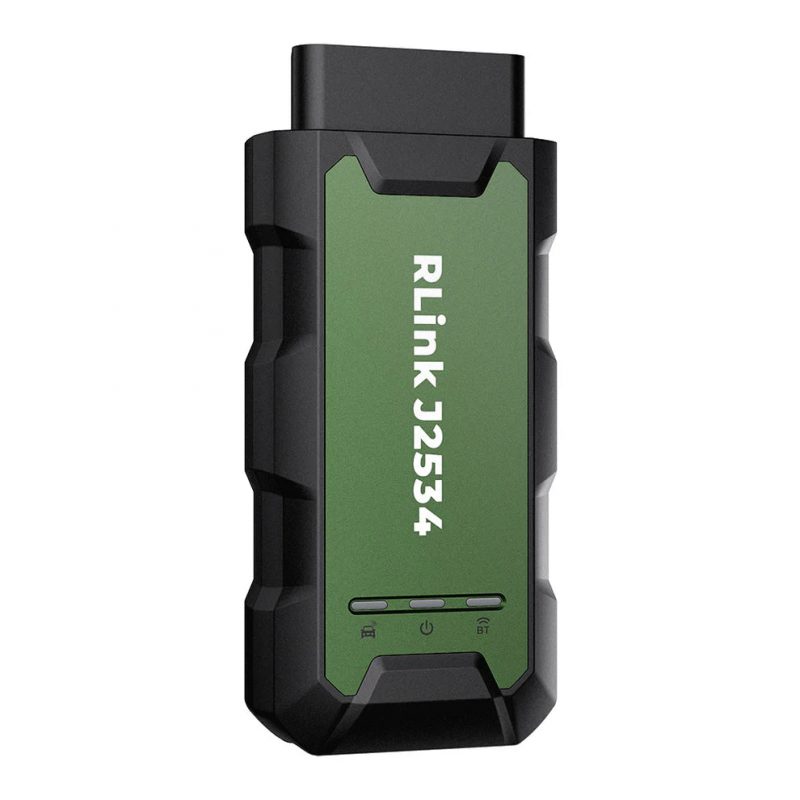
VXDAS TPMS Relearn Tool Ultimate EL-50448 Universal Auto Tire Pressure Monitor Sensor TPMS Reset Activation Tool

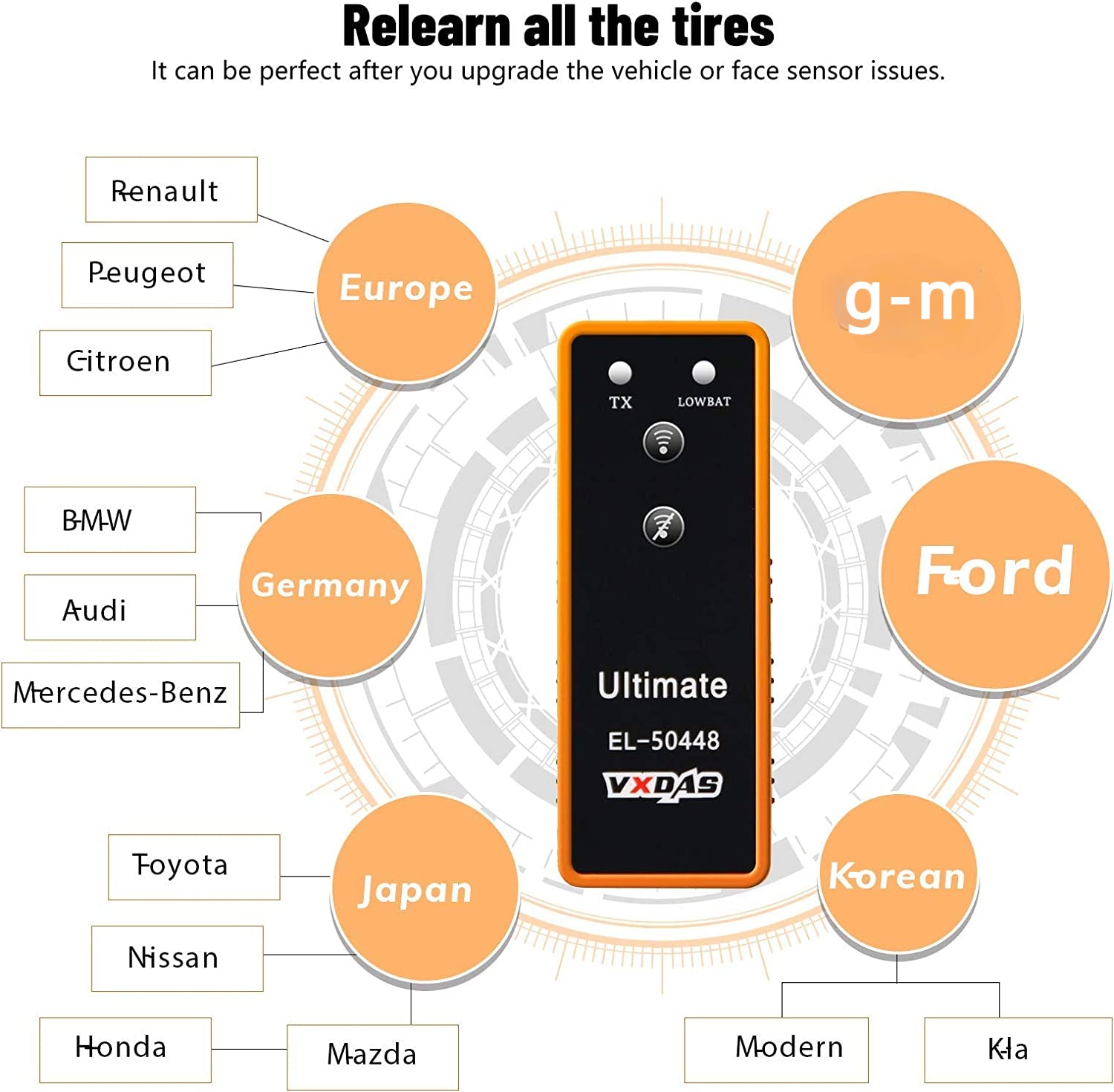
VXDAS Ultimate EL-50448 for G-M Jeep F150, BM-W/A-udi/Renault/To-yota/ Nissan/ Honda/ Mazda/ Mitsubishi/Subaru Series Vehicles
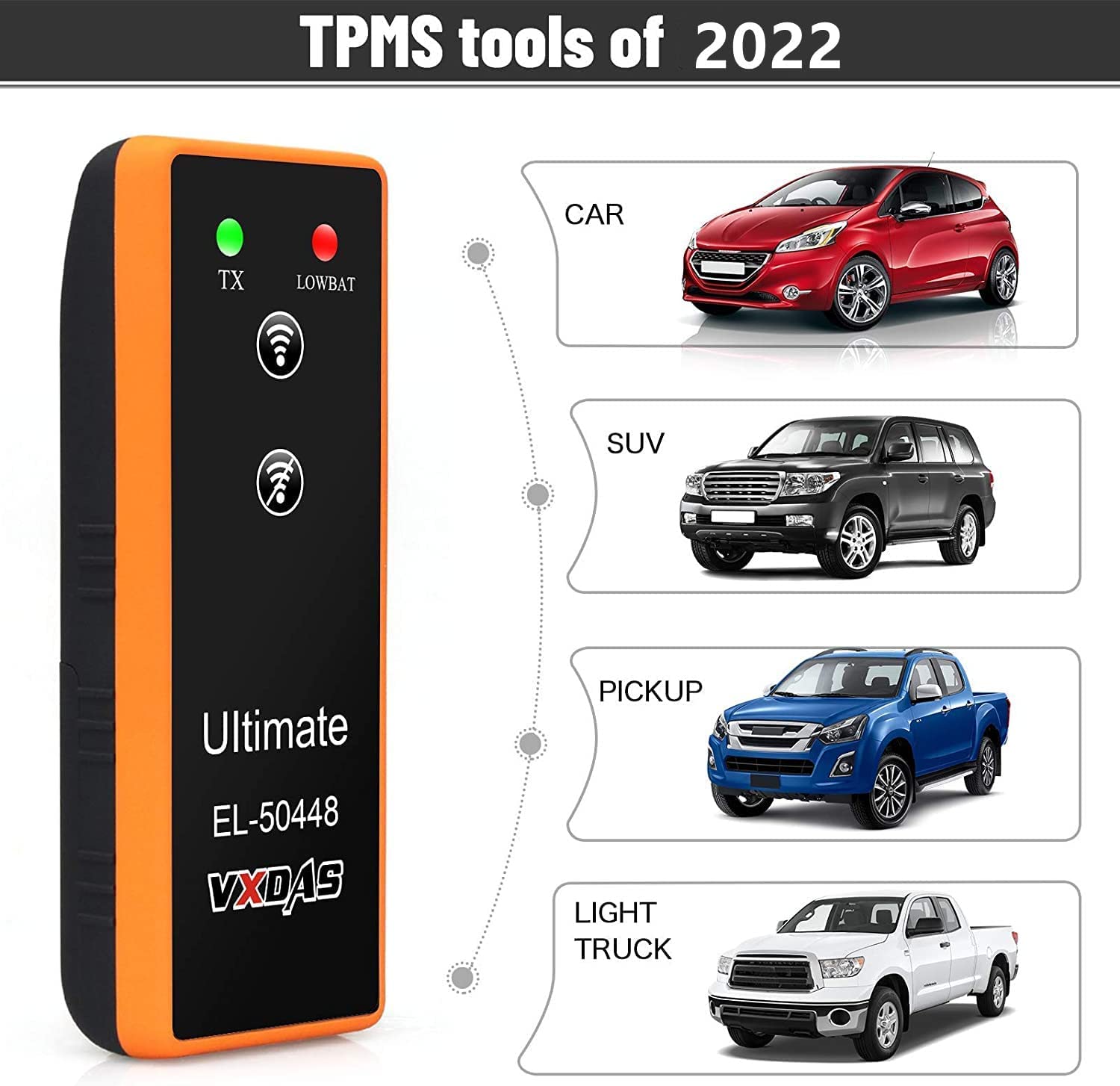
- WIDE VEHICLE COVERAGE: Ultimate EL50448 Works on most vehicles equipped TPMS system.supports G-M,F150 ,BM-W/A-udi/ Renault/ To-yota/ Nissan/ Honda/ Mazda/Mitsubishi//Subaru till Dec 2021 cars.more models will be updated in the future after being tested on the late pictures!
- TPMS RELEARNING TOOLS: It’s a perfect tool that can detect and relearn (find) the location of sensors in case of a tire change, rotation, or sensor replacement o. It will save you many trips to the tire shop because it’s simple to use.
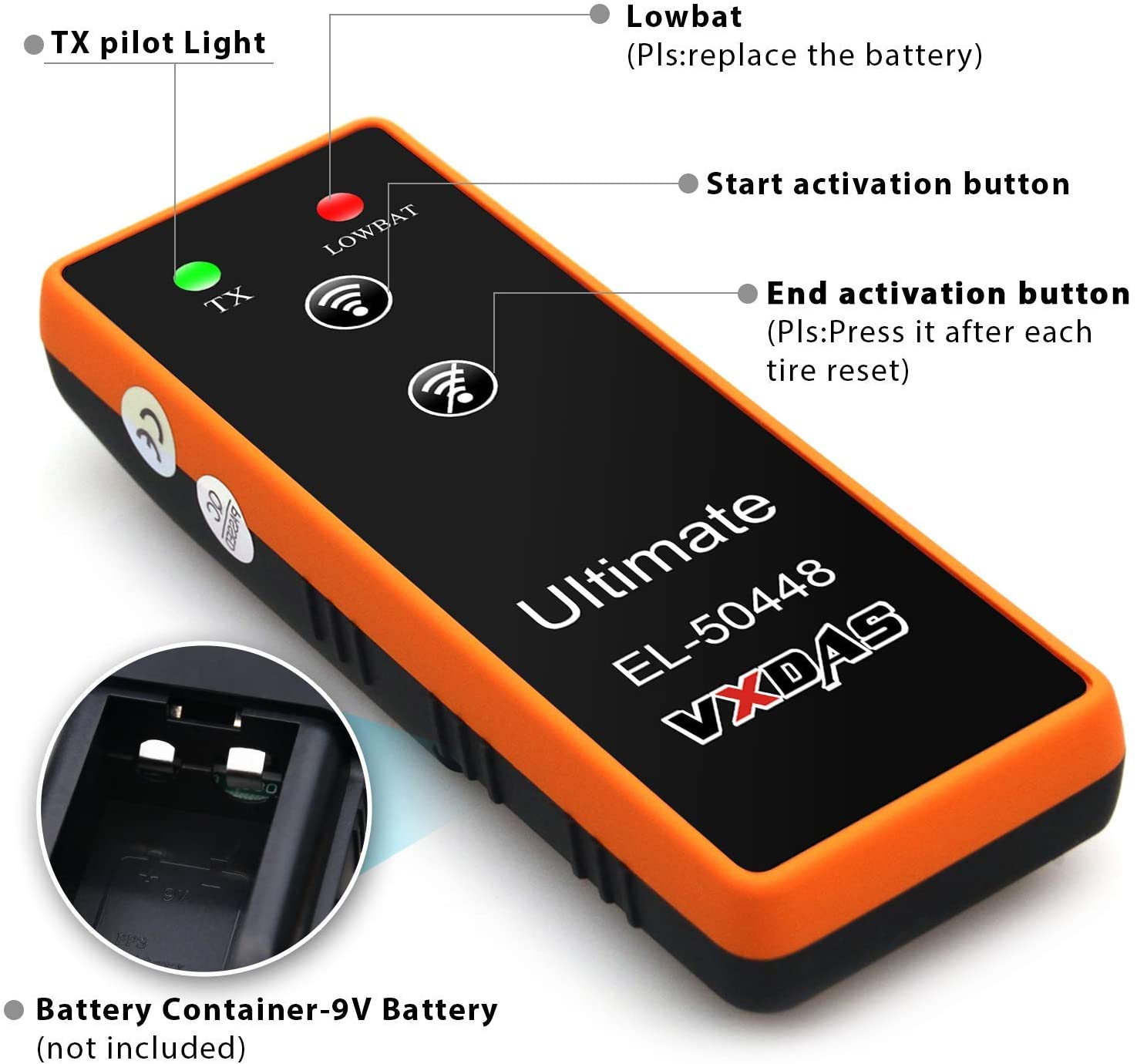
- FRIENDLY TIPS:[1] When using the Ultimate EL50448 TPMS relearn tool, please make sure the antenna in the correct position; [2] Not for heavy trucks with more than 4 tires & Please use a NEW 9V battery (not included in package) 【 Provides 24 months warranty, relieve all your worries.】

Benefits of VXDAS Ultimate EL-50448 TPMS Tools
- Enhance safety. If you have the best TPMS tool you can maintain correct tire pressure at all times. Avoiding tire underinflation is a surefire way of increasing control and getting to all your destinations safely.
- Better fuel economy. Underinflated tires increase your car’s fuel usage. To curb this, make sure your tires have the correct pressure so your car can make the most of every gallon. Your car can cover more miles per gallon when the tires are in good shape.
- Reduce costs. Other than lowering fuel consumption, a tire pressure management system helps prolong the lifespan of your tires. This means you’ll buy fewer replacement tires, saving money in the process.
- Better insurance premiums. If an insurance evaluation confirms that you monitor your tire pressure and practice safe driving, you can gain some leverage and obtain better car insurance premiums. Maintaining general car safety makes you more appealing to your insurance company.
- Stress-free tire pressure monitoring. Checking the tire pressure manually is a long, tiring process. With the right TPMS tool, the process becomes shorter and more efficient. You also get more accurate results.
Only 3 Steps
- Make sure your car is in the TPMS Learning Mode ,
- Hold the tool against the sidewall of the tire, near the valve stem.
- Depress learn button while holding the tool against the tire sidewall until horn bleeps once.
Notice: Press “off “WiFi buttons after completing a tire reset.Then once again to start another tire.

FRIENDLY TIPS:Follow this order to rest TPMS sensors: Front left, front right, rear right, rear left.
- Please confirm whether there already have a TPMS sensor in per tires of your car before purchasing it
-
When using Ultimate EL50448, please make sure the antenna in the CORRECT position.
-
9V battery should be in good condition : NEW & fully charged.
-
Do tire reset outside instead of in the garage.
-
Position of tires is also important, Front tires have to be straight.
-
Package does not include the battery.
VXDAS TPMS Ultimate EL-50448 Universal TPMS Reset Activation Tool
Almost all G-M series from 2010-Dec 2021
2007-2014 Ford F-150, Edge; 2008-2015 F-250 F-350 F-450 F-550 Super Duty
2006-2015 Mustang; 2006-2015 Escape; Explorer
2008-2015 Expedition, Flex, Taurus, E-150 E-250 E-350 E-450 Econoline Vans, Fiesta, Focus, Fusion; Lincoln MKZ, MKS, Navigator
2008-2011 Ford Crown Victoria, Lincoln Town Car
2011-2015 Ford Transit Connect
2006-2011 Ford Ranger; Mercury Mariner, Grand Marquis, Milan
2007-2015 Lincoln MKX, MKT; 2007-2008 Lincoln Mark LT
2006-2010 Mercury Mountaineer, Monterey
2017 Chevy Express 2500
Opel Karl
2017 Opel Zafira
Opel Astra K Sportstourer
Astra K Baujahr 2016
2007 chevy Silverado
2014 Chevy Volt
Chevy Silverado 2500HD
2016 Chevrolet Cruze
Opel Astra K
Opel Mokka
Chevy Malibu 2017, supports 315MHz frequency, does not support 433MHz frequency
2017 Buick Lacrosse, supports 315MHz frequency, does not support 433MHz frequency
Chevrolet suburban 2007
2017 Camaro SS
2016 Chevrolet Trax
Chevrolet Trax 2016
2016 Yukon xl
2019 Chevrolet Silverado
Chevrolet Silverado 2018
Chevrolet Silverado 2019
Customers test models
2005-2009 Buick Lucerne Chevy 2500HD Chevy Silverado Chrysler 300C FORD F250 Jeep Wrangler Nissan Altima Nissan Pathfinder S Nissan Sentra Nissan Titan Pontiac G8 Pontiac G8 GT Subaru Outback.
2010-2014 Altima Chevy Equinox Chevy Impala Chevy Silverado Dodge Journey Ford Escape Ford Focus Honda Accord Honda Odyssey Infiniti G25 Mitsubishi Lancer Nissan GTR Nissan Altima Subaru Forrester Toyota FJ Cruiser.
2015-2018 BM-W Buick Enclave Buick Lacrosse Chevy Curze Chevy Express 2500 Chevy Silverado Chevy Sonic G-mc Canyon Slt G-MC Terrain Honda Pilot Hyundai Elantrase Jeep Wrangler Rubico Mitsubishi Outlander Mitsubishi Lancer Nissan Pathfinder Nissan Murano Toyota Avalon Toyota Camry Toyota Sienna LE AWD Volt.
How To Get into the Learning Mode
1. Make the gear in P position.
2. Use cruise to choose TPMS re-learn mode in the dashboard settings.
3. Horn will ring twice and the TPMS indicator flashes, then the learning mode has been successfully entered. (If equipped, the message center will display the front left (LF) tire)
Method of operation
1. Instructions:
1) Depressing the parking brake (manual transmission only);
2) Set the ignition switch to the ON position and use the fault diagnostic or driver information center button to activate the tire pressure sensor read mode. If you hear the speaker beep twice, that read mode has been enabled. The left front turn signal will also light up;
3) Starting from the left front tire, the antenna of the dedicated tool for tire pressure monitoring is facing upwards against the tire sidewall near the rim of the valve stem to start the antenna. Press and release the start button and wait for the speaker to emit a chirp. Once the speaker is chirping, the sensor information is read and the turn signal to be read at the next position will light;
4) When the speaker is ringing and the right front turn signal light is on, the remaining three sensors repeat step 3 in the following order: 4.1. Right before 4.2. Right rear 4.3.Left rear;
5) When the left rear sensor has been read and the speaker is also issued twice, the read process is completed and the body control module also exits the read mode;
6) Refer to the service manual “Tire Pressure Monitoring System” for specific operating procedures.
2. Precautions:
1) The new battery power lead to less than the standard launch power, after use, please charge about 2 hours;
2) Is the position of the antenna to the tires of the antenna, between the tires and the wheels near the gas core,not wore the gas core.
Appendix (for models):
2010 9-5
2010 Acadia, Enclave, OUTLOOK, Traverse (VIN R/V)
2010 Allure, LaCrosse (VIN G)
2010 Antara, Captiva, Terrain, Winstorm
2010 Avalanche, Escalade, Suburban, Tahoe, Yukon (VIN C/K)
2010 Aveo, G3, Barina (VIN S/T)
2010 Buick Excelle
2010 Buick Regal (China)
2010 Camaro (VIN F)
2010 Canyon, Colorado (VIN S/T)
2010 Cobalt, G5 (VIN A)
2010 Corvette (VIN Y)
2010 Cruze (China)
2010 Cruze
2010 CTS (VIN D)
2010 Daewoo Lacetti
2010 DTS (VIN K)
2010 Equinox, Terrain (VIN L)
2010 Express, Savana (VIN G/H)
2010 G6 (VIN Z)
2010 H3/H3T (VIN N)
2010 HHR (VIN A)
2010 Impala (VIN W)
2010 Insignia
2010 LaCrosse (China)
2010 Lucerne (VIN H)
2010 Malibu (VIN Z)
2010 Opel/Vauxhall Astra
2010 Sierra, Silverado (VIN C/K)
2010 SKY, Solstice (VIN M)
2010 SRX (VIN N)
2010 STS (VIN D)
2010 VE/WM – Sedan, Sportwagon, Ute, Lumina, Caprice, HSV
2010 VUE (VIN Z), Captiva Sport
2011 Acadia, Enclave, Traverse (VIN R/V)
2011 Alpheon
2011 Antara, Captiva
2011 Astra
2011 Avalanche, Escalade, Suburban, Tahoe, Yukon (VIN C/K)
2011 Aveo, Barina (VIN S/T)
2011 Buick Excelle

Garantía de devolución del dinero
Invierta en nuestro equipo con total confianza, respaldado por nuestra garantía de satisfacción.

Garantía de 1 año
Nuestro equipo dedicado le brinda asistencia oportuna y está comprometido a resolver sus consultas.

Servicio al cliente
Nuestro equipo dedicado le brinda asistencia oportuna y está comprometido a resolver sus consultas.
Mike Gilewitch (propietario verificado) –
Makes it easy!
I bought the EL-50448 for my 2017 Buick Lacrosse with the 20″ wheel package but it did not work. HOWEVER, the VXDAS company promptly sent me a new one, but it would not work either. They were concerned about my problem and sent me their newest Ultimate EL-50448 free of charge and it works perfectly! I believe the 20″ wheel option on my car is the cause of the problem, but the Ultimate EL-50448 is more powerful and works great. I can’t say enough about how the VXDAS company went out of their way to help resolve this. We need more companies like this with excellent customer service.
Gerardo Cabezas –
Works on my 2014 GMC SIERRA 1500
I am very happy, it worked perfectly in my 2014 GMC SIERRA 1500, I bought this product because I had a vehicle sensor that did not read the tire pressure on the GMC digital monitor, I thought the tire sensor was damaged . I made the GMC process to program the sensors, the vehicle turns on the lights of where I should do the programming, I simply place it where is the Tire Pressure Monitoring System (TPMS) sensor, and when it detects it sounds the bugle of the vehicle and I follow the lights of the vehicle with the clockwise direction, for each tire, then finish and everything is perfect! the 4 active sensors (TPMS) were already on the digital monitor of my GMC, indicating the pressure reading of each tire. I saved about $ 100 to take the vehicle to service. I highly recommend it, excellent product. I’m very happy
Gerardo Cabezas (propietario verificado) –
Works on my 2014 GMC SIERRA 1500
I am very happy, it worked perfectly in my 2014 GMC SIERRA 1500, I bought this product because I had a vehicle sensor that did not read the tire pressure on the GMC digital monitor, I thought the tire sensor was damaged . I made the GMC process to program the sensors, the vehicle turns on the lights of where I should do the programming, I simply place it where is the Tire Pressure Monitoring System (TPMS) sensor, and when it detects it sounds the bugle of the vehicle and I follow the lights of the vehicle with the clockwise direction, for each tire, then finish and everything is perfect! the 4 active sensors (TPMS) were already on the digital monitor of my GMC, indicating the pressure reading of each tire. I saved about $ 100 to take the vehicle to service. I highly recommend it, excellent product. I’m very happy
Gerardo Cabezas –
Works on my 2014 GMC SIERRA 1500
I am very happy, it worked perfectly in my 2014 GMC SIERRA 1500, I bought this product because I had a vehicle sensor that did not read the tire pressure on the GMC digital monitor, I thought the tire sensor was damaged . I made the GMC process to program the sensors, the vehicle turns on the lights of where I should do the programming, I simply place it where is the Tire Pressure Monitoring System (TPMS) sensor, and when it detects it sounds the bugle of the vehicle and I follow the lights of the vehicle with the clockwise direction, for each tire, then finish and everything is perfect! the 4 active sensors (TPMS) were already on the digital monitor of my GMC, indicating the pressure reading of each tire. I saved about $ 100 to take the vehicle to service. I highly recommend it, excellent product. I’m very happy
J. Steven (propietario verificado) –
Very easy
Reprogrammed my tpms sensors on my 06 Corvette in about 3 minutes. Worked great ! Super easy to use
JEM –
Works Perfectly on 2015 Tahoe but Antenna Position Is Critical
This tool worked perfectly on my 2015 Chevy Tahoe after finding the sweet spot for the antenna. I first tried placing the end of antenna next to the top of the valve stem but it could not communicate with the TPMS. Next I tried placing the end of the antenna on the rim at the base of the valve stem…still no go. Finally, I placed the end of the antenna on the rubber tire at the edge of the rim and by the base of the valve stem…this position worked perfectly for all 4 tires (see photos). I am very satisfied with this product.
JEM –
Works Perfectly on 2015 Tahoe but Antenna Position Is Critical
This tool worked perfectly on my 2015 Chevy Tahoe after finding the sweet spot for the antenna. I first tried placing the end of antenna next to the top of the valve stem but it could not communicate with the TPMS. Next I tried placing the end of the antenna on the rim at the base of the valve stem…still no go. Finally, I placed the end of the antenna on the rubber tire at the edge of the rim and by the base of the valve stem…this position worked perfectly for all 4 tires (see photos). I am very satisfied with this product.
R. Graban (propietario verificado) –
Works for 2017 Volt; Must hold near tire sidewall, not wheel
Works on my 2017 Chevy Volt; however, NOTE CAREFULLY – I had already submitted a return request, thinking it didn’t work; even after following directions how to get to the tire pressure sensor (TPS) reset / match screen on the vehicle. What you need to do is hold the tool NEXT TO THE TIRE SIDEWALL near the valve stem while pressing the button while in the vehicle’s TPS learn mode. I had been holding it next to the valve stem on the aluminum wheel and it didn’t pick up. Instructions could perhaps be more clear. Very good price compared to official GM tools source – picture is identical with EL-50448 identifier, except the brand name at 3 times the price through Kent Moore.
R. Graban –
Works for 2017 Volt; Must hold near tire sidewall, not wheel
Works on my 2017 Chevy Volt; however, NOTE CAREFULLY – I had already submitted a return request, thinking it didn’t work; even after following directions how to get to the tire pressure sensor (TPS) reset / match screen on the vehicle. What you need to do is hold the tool NEXT TO THE TIRE SIDEWALL near the valve stem while pressing the button while in the vehicle’s TPS learn mode. I had been holding it next to the valve stem on the aluminum wheel and it didn’t pick up. Instructions could perhaps be more clear. Very good price compared to official GM tools source – picture is identical with EL-50448 identifier, except the brand name at 3 times the price through Kent Moore.
BaldAgain –
2017 Buick LaCrosse
This worked well on my 2017 Buick LaCrosse with 20″ wheels. Brought it to the dealer recently for a rotation, along with some other work. Turned out the sensors were not relearned after the rotate. Figured I would try to fix it myself. It did take a bit longer or different positioning of the transmitter to relearn a couple of the sensors, but it worked on all of them.
BaldAgain (propietario verificado) –
2017 Buick LaCrosse
This worked well on my 2017 Buick LaCrosse with 20″ wheels. Brought it to the dealer recently for a rotation, along with some other work. Turned out the sensors were not relearned after the rotate. Figured I would try to fix it myself. It did take a bit longer or different positioning of the transmitter to relearn a couple of the sensors, but it worked on all of them. Followed the process from the owners manual 1. Set the parking break. 2. Place the vehicle in ON/RUN/START ( start the engine ) 3. Make sure the Tire Pressure info page option is turned on. 4. Use the DIC controls on the right side of the steering wheel to scroll to the Tire Pressure screen under the DIC info page. 5. Press and hold ✓ in the center of the DIC controls. The horn sounds twice to signal the receiver is in relearn mode and the TIRE LEARNING ACTIVE message displays on the DIC screen. 6. Start with the driver side front tire. 7. Put the EL-50448 tool top against / near the sidewall close to the valve stem. Press the transmit button to activate the sensor. A horn chirp confirms that the sensor identification code has been matched to this tire and wheel position. 8. Proceed to the passenger front tire, and repeat the procedure in Step 7. 9. Proceed to the passenger rear tire, and repeat the procedure in Step 7. 10. Proceed to the driver side rear tire, and repeat the procedure in Step 7. The horn sounds two times to indicate the sensor identification code has been matched to the driver side rear tire, and the TPMS sensor matching process is no longer active. The TIRE LEARNING ACTIVE message on the DIC display screen goes off. 11. Turn off the ignition. 12. Adjust tire pressure as needed.
BaldAgain –
2017 Buick LaCrosse
This worked well on my 2017 Buick LaCrosse with 20″ wheels. Brought it to the dealer recently for a rotation, along with some other work. Turned out the sensors were not relearned after the rotate. Figured I would try to fix it myself. It did take a bit longer or different positioning of the transmitter to relearn a couple of the sensors, but it worked on all of them.
TraLo (propietario verificado) –
this is a great item
works great
JamB (propietario verificado) –
Camaro RS 3.6 V6 2014
Works with camaro 3.6 v6 2014.
Captingreen3 –
Gets the job done just takes a little longer
Work at a Chevy/Subaru dealer and wanted something universal to use on the used cars we got in with TPMS issues as well as the cars for service that come in. Have seen other techs use the GM specific tool model and it works perfect. Fast and efficient. No hesitation. So I figured I??d try out the universal model and see if it??s compatible with what I need it to do. Works good and does the job on both Subaru and Chevy so far haven??t tried anything else. Will update. Only hiccup is it takes a few more seconds to read the TPS than the GM specific model. So it works good but you??re sitting there waiting for the horn or the sensor to say complete on the computer. Just wish it was a little more efficient. Time is money.
Captingreen3 –
Gets the job done just takes a little longer
Work at a Chevy/Subaru dealer and wanted something universal to use on the used cars we got in with TPMS issues as well as the cars for service that come in. Have seen other techs use the GM specific tool model and it works perfect. Fast and efficient. No hesitation. So I figured I??d try out the universal model and see if it??s compatible with what I need it to do. Works good and does the job on both Subaru and Chevy so far haven??t tried anything else. Will update. Only hiccup is it takes a few more seconds to read the TPS than the GM specific model. So it works good but you??re sitting there waiting for the horn or the sensor to say complete on the computer. Just wish it was a little more efficient. Time is money.
LP9009 (propietario verificado) –
It works
It works if you follow the directions. At first I thought it didn’t work because I pressed the transmit button and the green light came on so I held it against the sidewall but no results. Then reading the directions it says to hold the transmit button down while holding it against the sidewall. Also, it doesn’t happen instantly. You need to hold it to the sidewall for a few seconds.
Houman Mehdiyoun (propietario verificado) –
worked like a charm
I have a 2017 Tahoe, my TPMS order was outa whack due to recent tire rotation, I got this re-learn tool, I pulled out the owner’s manual and followed the instructions, each sensor took about 20 seconds to re configure and I was on my way within 15 minutes. great tool.
JR Rich (propietario verificado) –
vxdas tpms relearn tool
Product arrived on schedule in a well packed box – unopened. This tool worked wonderfully on 2017 Chev Silverado 1500. I want to be able to switch from all season tires and rims to winter tires and rims, plus rotate. This tool will allow that. It took approx. 5 min. to do, from start to finish. Great investment.
john (propietario verificado) –
Worked perfectly
Worked perfectly
Johnny G. (propietario verificado) –
Awesome
Super easy to use and worked great!
Cruse (propietario verificado) –
Time Saver
This tool worked as advertised. I simply put the truck in pair mode and held the tool against the rim and after a few seconds it beeped and paired up. No letting air out of the tire for 30 seconds and then airing it back up. A real time saver!
John –
It works
It works if you follow the directions. At first I thought it didn’t work because I pressed the transmit button and the green light came on so I held it against the sidewall but no results. Then reading the directions it says to hold the transmit button down while holding it against the sidewall. Also, it doesn’t happen instantly. You need to hold it to the sidewall for a few seconds.
John –
It works
It works if you follow the directions. At first I thought it didn’t work because I pressed the transmit button and the green light came on so I held it against the sidewall but no results. Then reading the directions it says to hold the transmit button down while holding it against the sidewall. Also, it doesn’t happen instantly. You need to hold it to the sidewall for a few seconds.
rainforestbob (propietario verificado) –
Works well
I’ve used this for a 2010 Cadillac CTS-V and a 2010 Taurus SHO and in both cases it worked exactly as expected.
GPZ (propietario verificado) –
great product – VXDAS EL-50448 ULTIMATE
I bought the ( VXDAS EL-50448 ULTIMATE) because i read that another buyer bought the VXDAS EL-50448 and it didn’t work on his 2017 GMC Sierra when he switched out his rims. So he returned it and and the company sent him the VEDAS EL-50448 ULTIMATE. He said the Ultimate worked as it should and reset the TPMS on the switched out rims. I put 2009 GMC Sierra 18 inch rims with snow tires on my New 2018 GMC Sierra for the winter. The Ultimate Model worked as it should and reset the TPMS on the 2009 GMC rims. The Ultimate was a little more money ,but after reading reviews, it’s the one i went with, because i didn’t want to deal with returning one that didn’t work.
Vincent G (propietario verificado) –
Product arrived!
Had to return, was not compatible with my 2008 Cadillac STS.
junior (propietario verificado) –
Good purchase
Works perfectly and good size. Only wish it came with a battery, Other than that not problems what so ever.
KEC (propietario verificado) –
Works great on my 2014 Chevy Silverado 1500 Crew Cab
Works great on my 2014 Chevy Silverado 1500 Crew Cab
Allan Zdon (propietario verificado) –
VXDAS EL-50448
I have had issues with the reset procedure on my 2011 Nissan Frontier. Everything I tried did not work to reset the TPMS warning light. I purchase the VXDAS EL-50488 and it worked the first time it used it. Highly recommend.
Lucas (propietario verificado) –
Worked perfect.
I’ve had my 2013 chevy silverado 1500 for about 6 months now and since I first got it, the tpms light was on and I would have to clear it every time I started the truck. Got new tires and the tire place said they couldn’t program the sensors. Went there again for the front set and still couldn’t program them. Finally I broke down and got this tool. Took me a total of 2 minutes and proof, no more light. And I could read the pressures in all my tires. If you own a chevy 2007 and up, all you have to do is turn the key on and hold the lock and unlock buttons on your key fob until the vehicle honks. You will then see the driver side front turn signal illuminate. Take the tool and push the top button and a green light will turn on. Place the front of the tool on the rubber of the tire directly under the valve stem and hold it there for around 5 seconds until the vehicle honks. Repeat for all four tires going to the tire where the light is illuminated. the sequence should be (driver front, passenger front, passenger rear, driver rear). This process should work assuming all of your sensors are working and are not broke or have a dead battery.
Dustin (propietario verificado) –
A+ Customer support
First shipment was defective, but received a replacement quickly with no hassle at all! Great customer support and the device is very easy to use! Works on my 2014 Silverado
Amazon Customer (propietario verificado) –
Worked
Worked on 2015 Cheverolet Spark 2LT
Parnelli25 (propietario verificado) –
Nice product
As described
James S Brunett (propietario verificado) –
Worked as expected!
Worked exactly as described and easy to use.
Matt (propietario verificado) –
Only used one time so far but it works great
I’ve only used this on a 2011 Silverado but it could not have been easier to relearn tire positions. This is much easier than releasing air from your tire to get the same results. It was well worth the money.
woodnknoll (propietario verificado) –
Worked perfectly on 2007 Cadillac DTS
Dead simple to use and worked perfectly on my 2007 Cadillac DTS after I changed two of the TPMS sensors. You just hold it against the tire sidewall near the valve stem, while transmitting, for about 5 seconds or until the horn beeps. Then turn it off, move to the next tire in sequence and repeat. The sequence is front left, front right, rear right and rear left.
RM (propietario verificado) –
Perfect function on Nissan
It worked perfectly as advertised. Transmitted TPMS relearn for Nissan.
Frank Umiamaka (propietario verificado) –
Can it be used to reset display on instrument panel?
Quick delivery, worked as needed. Used it on my 2016 Chevy Silverado without having to go to a shop!
drew drew (propietario verificado) –
corvette c6 z06 tpms
works perfectly with the c6 z06 corvette tpms sensors… replaced all four wheels and it was able to program the first try…. you could definitely use this at the track with two sets of wheels, takes like 30 sec to reprogram… just hold lock and unlock while in accessory mode and the horn beeps.. start at the drivers front, and go clockwise around the car
Corvette 62 (propietario verificado) –
Works very good!!!!
This tool works very good, but the only thing is that you have to be very careful checking if your car is within the list of cars that this tool work, if it is this tool is going to work very well in all the tpm sensors on your car. Awesome work!!!!
J (propietario verificado) –
Find a good YouTube video in advance, then it’s easier to get the job done
Liked that it paid for itself and saved even more of what I would have paid a mechanic, not to mention my time. Even with getting past the confusion since no instructions are included and I was left searching YouTube, it wasn’t more than 30 minutes. I recommend this company posts their own YouTube video for customers so their not left searching through videos that may or may not be relevant to their specific make or model vehicle. Worked on 08 Nissan Altima.
Brian (propietario verificado) –
Worked great
Worked great
Troy Larsen (propietario verificado) –
Works, when you finally know how to use it.
After watching a few videos on YouTube, I was finally able to figure out how to get this to work. My comments below are relative to a Chevy Volt and may or may not be applicable to your car. After entering the learn process on your car, you have to press the transmit button for each wheel. You also hav ed to hold the learn tool to the side of the tire, by the valve stem. I held mine against the tire about an inch away from the rim. Be patient, it will take a few seconds for each tire after pressing the button each time.
Shawn A. Freeman (propietario verificado) –
It works.
It works.
Bruce (propietario verificado) –
2018 2500HD Chevy
Worked just as advertised on my 2018 Chevy 2500 HD.
ADHM (propietario verificado) –
(Ultimate EL-50448) Great Device .. 18 Tahoe, check
Just used the Ultimate EL-50448 with 2018 Chevrolet Tahoe Premier, works very well. Great Device!
James Kessler (propietario verificado) –
Good product
Was able to set the tire sensor on all 4 wheels on a Silverado.
Lee Hao (propietario verificado) –
works for 2009 Pontiac G5
This product is really a time saver! You must hold this device as close as possible to the TPMS sensor in tire. Initially I put it on the top of tire and on the ground by the tire, it didn’t work, then I realize that the device might need to communicate to the in-tire sensor, so I hold it near the sensor location, it worked well. Wow!
kenny beasley @ kenny's garage (propietario verificado) –
great tool
works great