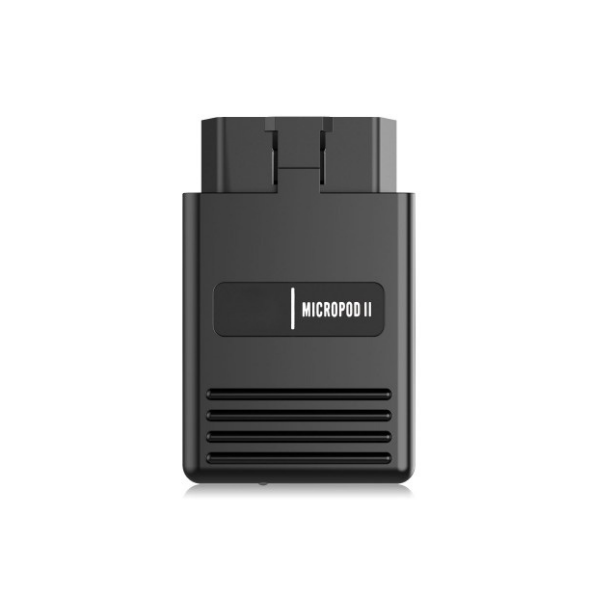
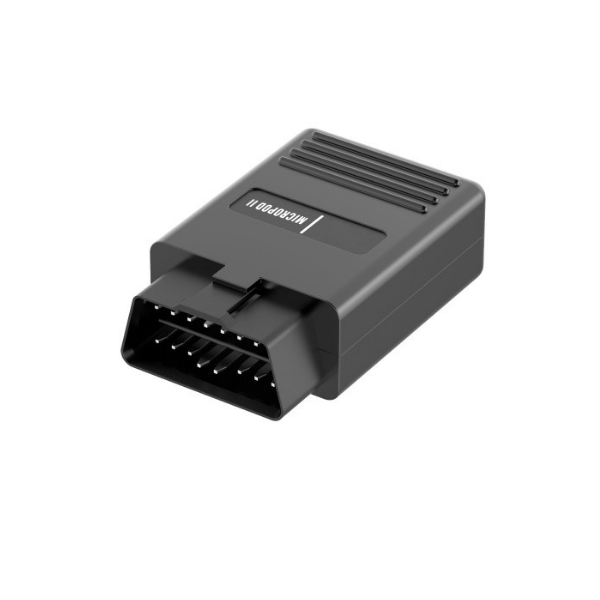
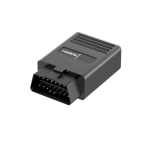
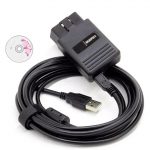
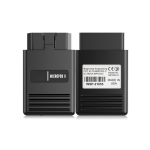
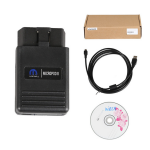
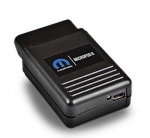
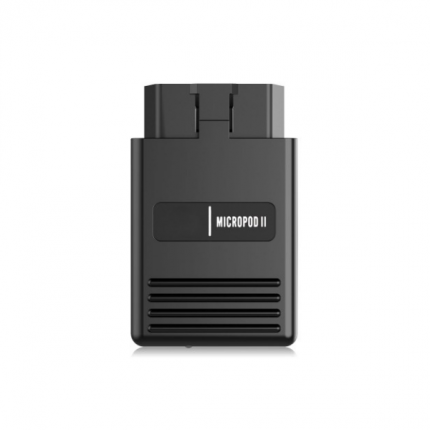
wiTech MicroPod 2 with V17.04.27 Software for Chrysler Diagnosis and programming Support CDA 6.15.188
$109.00 – $489.00نطاق السعر: من $109.00 خلال $489.00

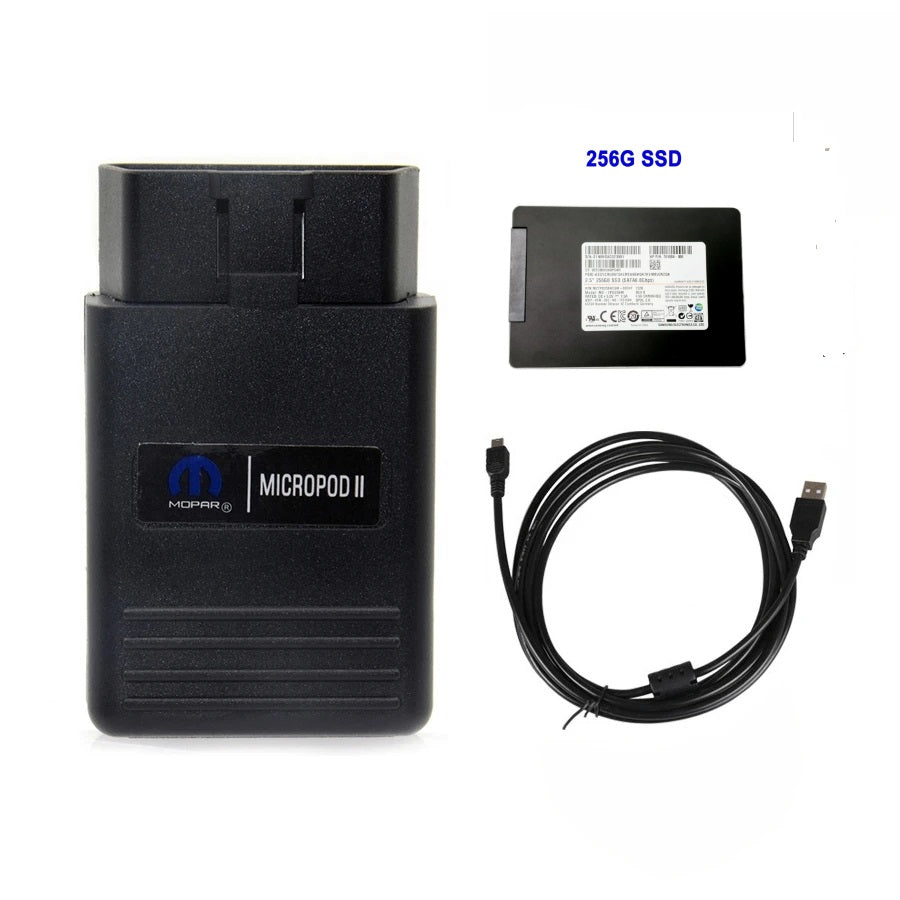
- micropod 2 software V17.04.27 with DRB3 software
- ONLY WiTech MicroPod 2 device (without software)
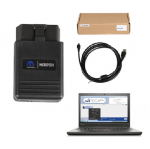
- WiTech MicroPod 2 with CD for Chrysler, Dodge and Jeep
- wiTech MicroPod 2 with lenovo T430
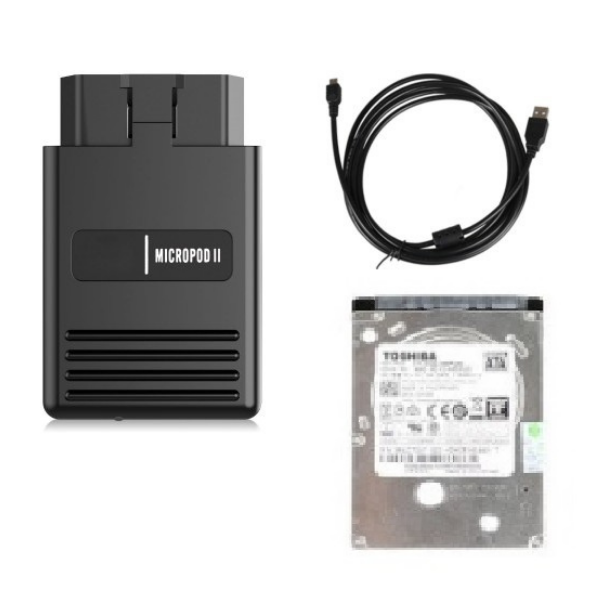
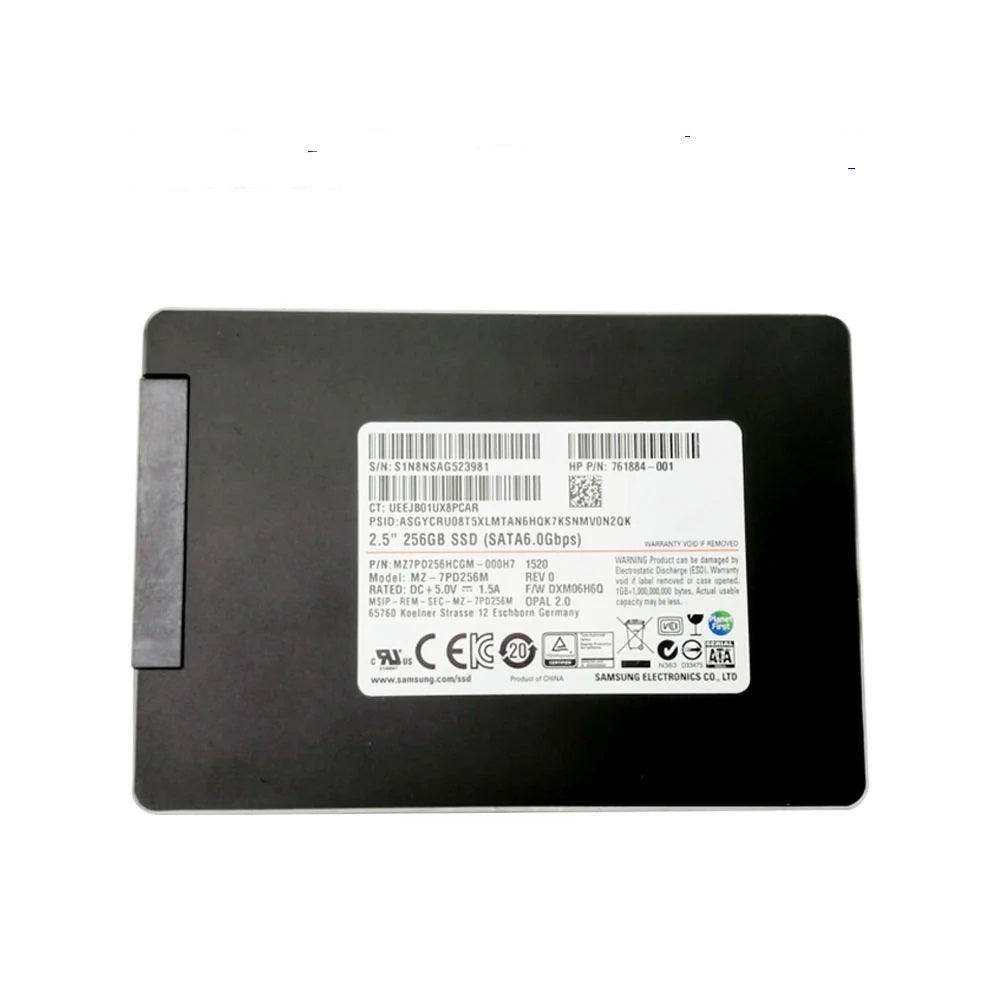
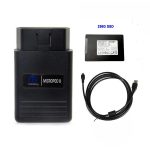
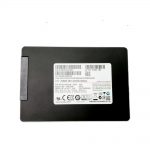
- wiTech MicroPod 2 with SSD for Fiat, Chrysler, Dodge and Jeep
- VCM 2
- VCM 2 with Lenovo T430 laptop 256G SSD (V130)
- VCM 2 with SSD (V130)
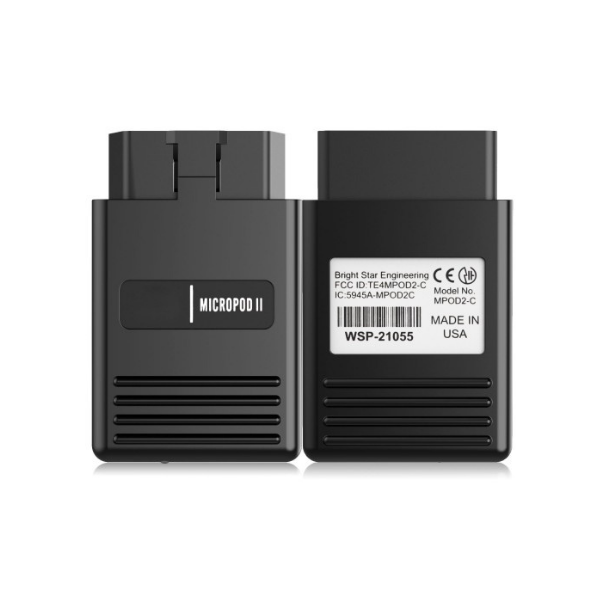
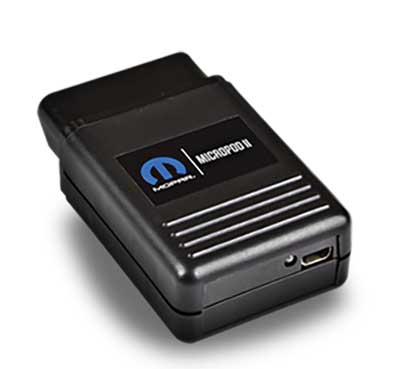
wiTech MicroPod 2 for Chrysler, the software is V17.04.27, supports the diagnosis, with Multi-language, and provides 100% CAN coverage for Chrysler, Dodge, Jeep, and Fiat.
Why choose wiTECH MicroPod 2 Diagnostic Tool:
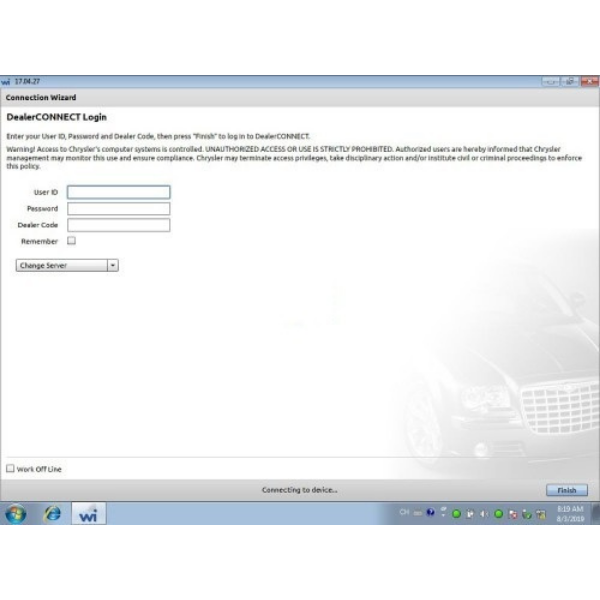
1. With V17.04.27 wiTECH software can work online and support Chrysler online programming ( But you should have an account )
2. The microPOD II is small in stature but offers 100 percent CAN coverage for Chrysler, Dodge, Jeep, and Fiat (North America), including latest 2014 Dodge Ram ProMaster, 2015 Jeep Renegade and 95% of non-CAN.
3. MicroPod 2 is a direct replacement for wiTECH VCI POD, StarMobile, StarScan, and wi-TECH POD.
4. It provides the latest technology and significant hardware and software performol provides cutting edge technology will enable technicians to increasance enhancements over the current StarSCAN and StarMOBILE tools.
What is Chrysler wiTECH?
wiTech Diagnostic Application is the laptop based Chrysler / Dodge / Jeep OEM tool for all Chrysler/Dodge/Jeep vehicles that use the ‘CAN’ protocol. The wiTech Diagnostic Application requires the Micropod2 interface device that connects between the laptop and the vehicle.
What is wiTECH MicroPod 2?
The wiTECH Micropod II is the newest Chrysler dealer level diagnostic tool that replaces the existing wiTECH VCI POD and Chrysler Star-Mobile tool. It does the same functions as StarMobile device and wiTECH POD, but it supports more protocols including CAN 3 and LAN DoIP.
What does a MicroPod 2 do?
MicroPod II is the dealerships diagnostic tool for replace Witech-Pod and Starscan for 100% CAN Chrysler, Dodge, Jeep and Fiat till 2019 year. It can be used as diagnostic and programming tool by the dealerships. Replaces your StarMobile, StarScan, and wi-TECH POD, provides world-class diagnostic services to your customers. with the Tech Authority Subscription you able to access Module Re-Flash Programming, TSBs, wiring diagrams, and repair information.
wiTECH MicroPod 2 Diagnostic Tool Highlights:
1. Latest Software: V17.04.27 to 2018 (free)
V6.15 CDA ,2018-2024 ( cost $489)
2. Best firmware version that fix problems
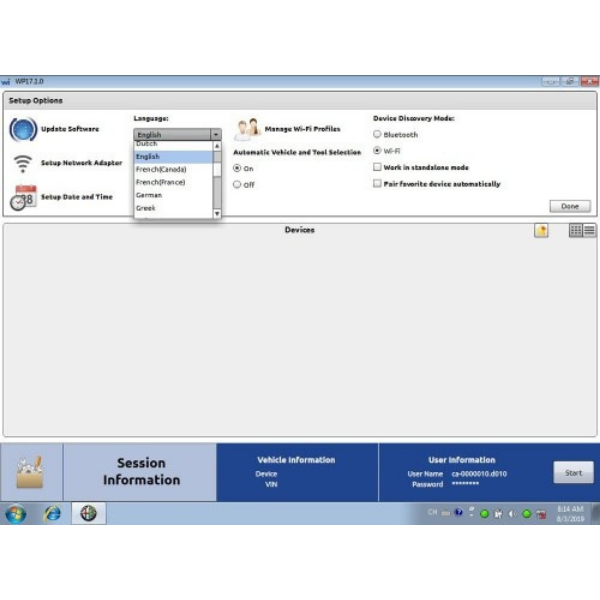
3. Multi-Languages supported: English, French, Spanish, German, Italian, Russian, Japanese, Korean and Chinese
4. PC-Based: Requires PC connection
5. Must connect to network to work, otherwise will prompt you to activate software.
6. Operating System: Windows 7/Windows 10
7. Tested by lots of clients that an online subscription to TechAuthority can work with this MicroPod II.
8. DRBIII Emulator is well tested by many customers
9. If need to diagnose Fiat Lancia and Alfa vehicles, need to order Fiat software(With hard disk software option)
VXDAS Kindly Note:
- This wiTech MicroPod 2 software requires activation. When you have installed the software, just send us your Teamviewer ID and password and we will activate it for you once for free. (Support Online or Whatsapp ),
- Network connection is not needed.
- First connect MicroPodII to vehicle, if the red indicator turns on, then connect to laptop and run software.
wiTECH MicroPOD2 features:
* Supports all the latest technologies and vehicle platforms including the latest Chrysler and Fiat Vehicles.
* Works as a direct replacement for the wiTECH POD
wiTECH MicroPOD II model year coverage:
Although small in stature, this dongle-style device offers 100% CAN – equipped coverage to 2018 for Chrysler, Dodge, Jeep, and Fiat vehicle platforms.
wiTECH Software function:
1) It can be used as diagnostic and programming tool by the dealerships. Replaces your StarMobile, StarScan, and wi-TECH POD,provides world-class diagnostic services to your customers.
2) A separate Tech Authority Subscription is required to access to Module Re-Flash Programming, TSBs, wiring diagrams, and repair information.
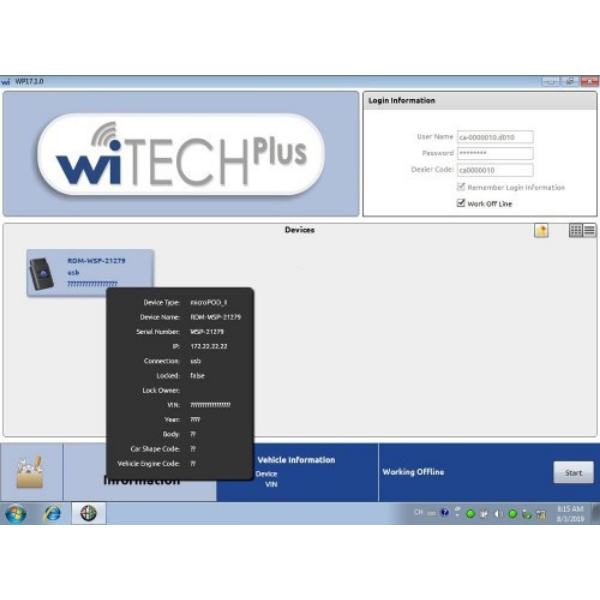
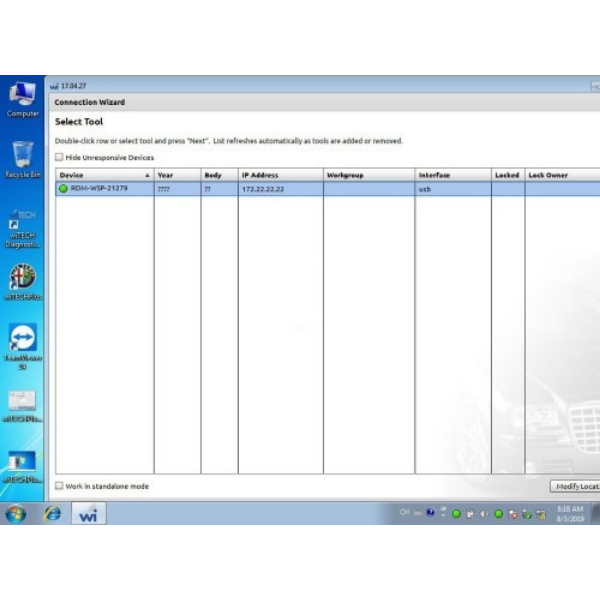
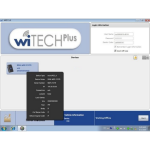
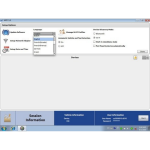
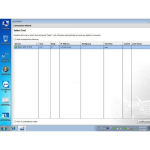
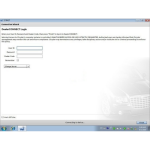
wiTECH Software Display:
wiTech MicroPod 2 Download Link:
Download chrysler wiTECH desktop software v17 on Mega:
https://mega.nz/file/9SV3CSTY#4uDJGbEg2tpvupcL4891C7xZNw5rN-mhySE4DB-uTQ4
wiTECH software crack download free: wiTECH micropod 2 V17
https://pan.baidu.com/s/1EarBNTR6-DFkbc89H_v1OQ (Password: 5gjc)
How to install wiTech Micropod II 17.04.27:
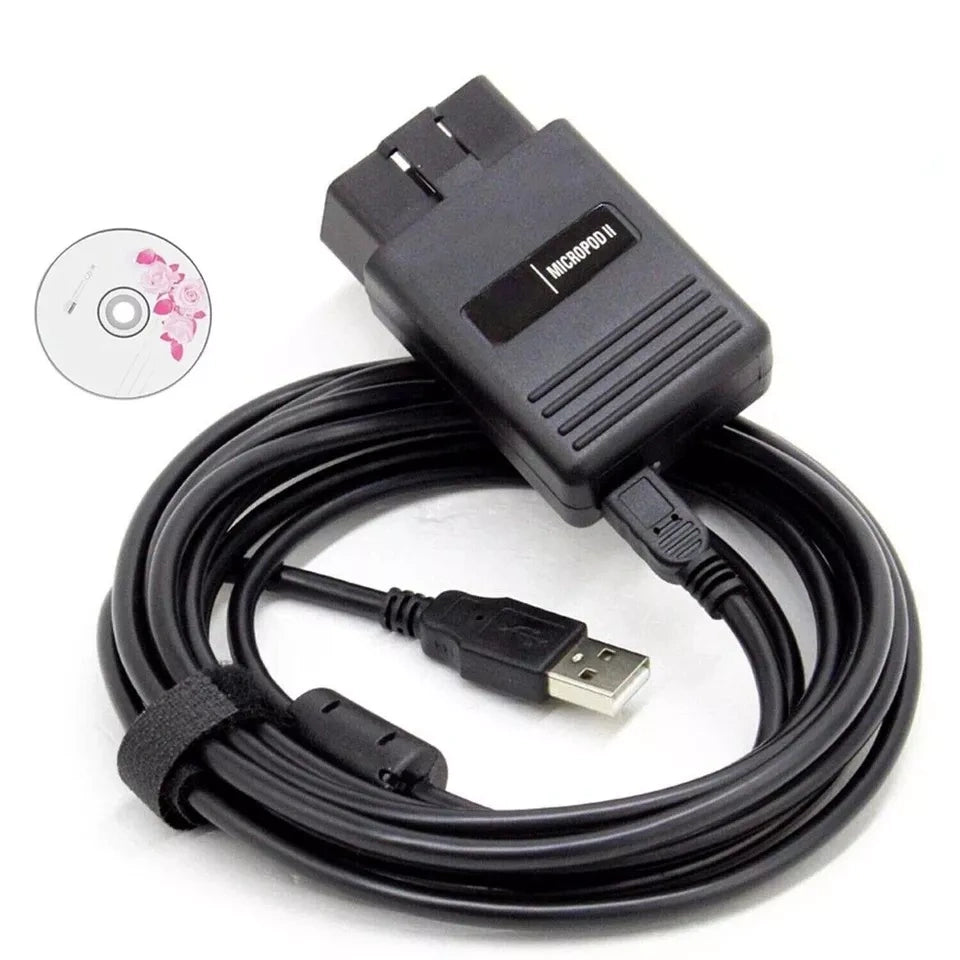
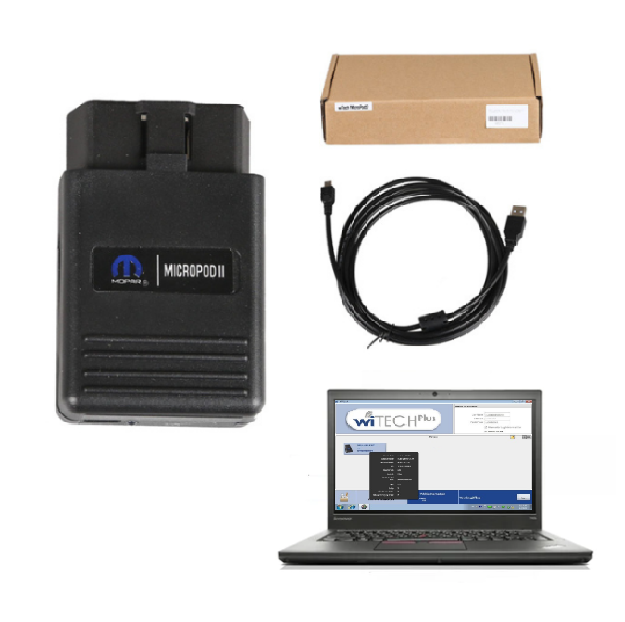
Package List:
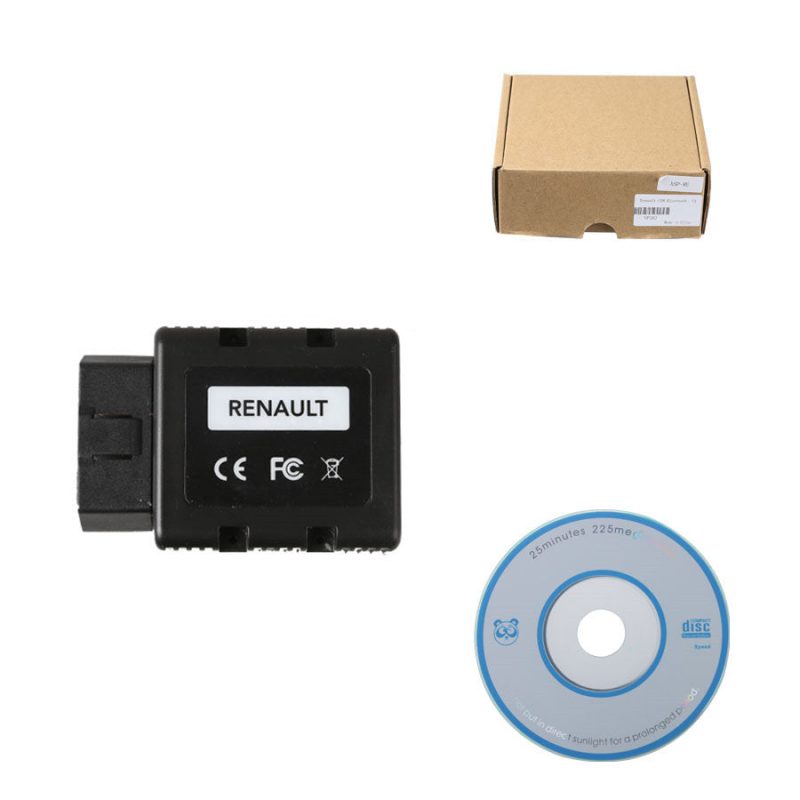
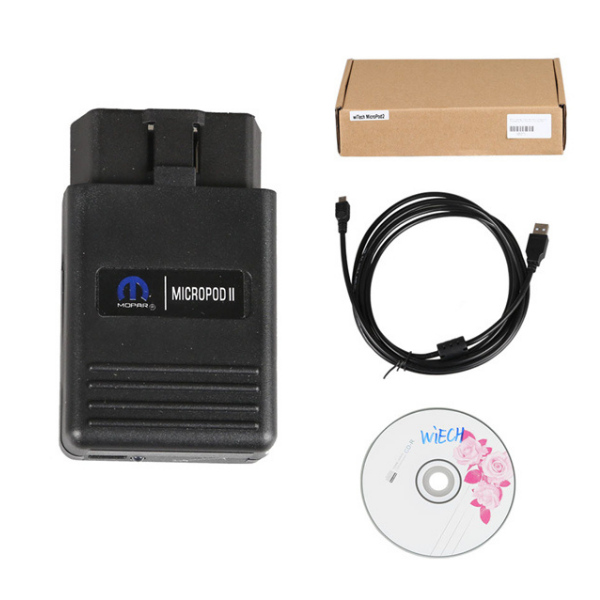
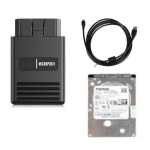
1pc x MicroPOD II Chrysler Diagnostic Tool interface
1pc x USB cable
1pc x CD
FAQ:
Q1:Does it support the 2018 Jeep Compass dear
A1:Sorry dear, this software only supports V2018.03, this year’s model is not in the free software database, but there is software V6.15 CDA software that can support it, 2018-2024
Q2: It’s an hard drive with windows 7 or windows 10 ?
A2: windows 7(Fiat software)
After sales file for wiTech MicroPod 2
MAECENAS IACULIS
Vestibulum curae torquent diam diam commodo parturient penatibus nunc dui adipiscing convallis bulum parturient suspendisse parturient a.Parturient in parturient scelerisque nibh lectus quam a natoque adipiscing a vestibulum hendrerit et pharetra fames nunc natoque dui.
ADIPISCING CONVALLIS BULUM
- Vestibulum penatibus nunc dui adipiscing convallis bulum parturient suspendisse.
- Abitur parturient praesent lectus quam a natoque adipiscing a vestibulum hendre.
- Diam parturient dictumst parturient scelerisque nibh lectus.
Scelerisque adipiscing bibendum sem vestibulum et in a a a purus lectus faucibus lobortis tincidunt purus lectus nisl class eros.Condimentum a et ullamcorper dictumst mus et tristique elementum nam inceptos hac parturient scelerisque vestibulum amet elit ut volutpat.
Shipping cost is based on weight. Just add products to your cart and use the Shipping Calculator to see the shipping price.
Package will ship out within 48 hours after payment receive usual, if there is some acceident, we will inform you by order contact information.
VXDAS Policy
Kindly note: Before returning items to us, please read and follow the instructions below. You can also contact our Customer Service, we will be glad to help you. Please make sure that you understand our policy and ensure that all criteria are met before physically sending any items back to us.
1. Return Policy
What Situation VXDAS Provides Return Policy?
- Mis-Ordered Products: If you ordered the wrong item by mistake and need to exchange it for the correct one, you can return it. However, you must bear the shipping costs for both sending the item back to us and the freight for shipping the new item back to you.
- Quality Issues: If our products do not work well upon arrival or suffer damage during delivery, our return policy will apply—provided that the issue is verified by our technical team.
- Non-Quality Issues (Change of Mind): In particular situations, after our customer service reviews your case, a return may be accepted. Under this condition, we will deduct the original shipping fee PLUS a 15% restocking fee from your final refund.
What Situation VXDAS DOES NOT Provide Return Policy?
We strictly DO NOT accept returns or exchanges under the following conditions:
- Failure to Provide Proof: The customer is unable or refuses to provide clear pictures of the product issue and a short video showing their operation.
- Refusal to Cooperate: The customer refuses to cooperate with our technical support team for a remote check (via TeamViewer or AnyDesk) to verify the problem.
- Unauthorized Disassembly (Anti-Tampering Rule): The device housing has been opened, unscrewed, or dismantled by the customer without our official tech team’s written permission.
- Man-Made Damage: The item is damaged due to improper personal use, physical drops, or incorrect installation.
What if a Customer Insists on Returning the Item Anyway?
If a customer refuses to cooperate with our technical verification process but insists on shipping the item back without our official return authorization:
- All Costs on Customer: The customer must fully bear the return shipping fee AND any customs clearance fees/import duties incurred when the parcel arrives at our warehouse. VXDAS will not pay for any customs-due parcels.
- Strict Deduction: We will only process a refund AFTER we receive the complete package in its original, undamaged sealed packaging. From the final refund, we will strictly deduct the original shipping postage fee PLUS a 15% restocking fee.
How to Return Items to VXDAS? (With Authorization)
After all details are confirmed and a return is officially agreed upon by VXDAS sales, please follow this process:
- Return Shipping Method: VXDAS strongly recommends using Registered Mail , EMS, DHL, UPS or FEDEX to return the parcel. Please only send it to the shipping address provided by our Customer Service. Without our prior permission, we are not responsible for parcels lost or rejected through unapproved express couriers.
- Return Shipping Window: All returns for a refund or exchange must be completed within 14 days of receiving our official return authorization. You must ship the item out and provide the return tracking number with shipping invoice details to your VXDAS sales representative.
2. Refund Policy (Including Order Cancellation)
You can apply for a refund within 14 days from the date you received the goods. The detailed rules are as follows:
What Situation VXDAS Provides Refund Policy?
- Cancel the Order Before Shipping (Personal Reasons): If you request to cancel your order within 12 hours of placing it and before it has been shipped, a 5% processing fee will be deducted from your total refund to cover payment gateway transaction fees and handling costs.
- Cancel the Order After Shipping (In Transit or Delivered): If you request a cancellation or return after the package has been shipped, you are responsible for the return process. We will deduct the original shipping postage fee PLUS a 15% restocking fee from your final refund. The item must be returned 100% unopened and in its original sealed packaging.
- Technical & Quality Issues (Mandatory Verification): Automotive diagnostic tools involve professional hardware and complex software environments. If you report a quality defect or a technical issue, you MUST follow our verification process:
- Proof Required: You MUST provide clear photos of the error message and a short operation video showing how you connected and operated the device. (Product S/N is not required).
- Remote Inspection: You MUST cooperate with our technical support team for a remote check (via TeamViewer). Our technicians must officially inspect and confirm the issue remotely before any return or refund can be authorized.
- Return Shipping for Quality Issues: If our technical team confirms a hardware or software defect via photos/video/remote check and it cannot be fixed, we will fully cover the return shipping cost. If you refuse to provide photos/videos or decline the remote technical inspection, your request will automatically be processed as a “Change of Mind” (personal reason) return, meaning you must pay for the return shipping yourself.
- Stock Issues: If a product is out of stock, we will email you to check if you prefer an exchange or a full refund.
- Lost in Transit: If the shipping company confirms the product is lost in transit, we will provide a full refund or resend a new item.
What Situation VXDAS DOES NOT Provide Refund Policy?
- The customer has received the goods for over 14 business days.
- Any Voided Warranty Cases: Items that have been privately disassembled, opened, or altered by the user without our consent are strictly excluded from any refund.
- Special Products/Services: Some products or services are strictly non-refundable once provided. This includes software download links, software installation services, and account/token activation services.
When Can You Get the Refund?
Usually, we will only issue the refund after the returned item is received and inspected by our warehouse (within 2-3 business days). If the returned product is opened, used, damaged, or shows signs of self-disassembly, corresponding damage costs will be deducted, or the refund request may be rejected entirely. Once approved, the refund will be processed back to your original payment method within 7 business days.
3. Repair Policy
In-Warranty Period (1-Year Warranty)
Most diagnostic tools and software from VXDAS come with a 1-year warranty, free repair, and 1-year free updates during the warranty period.
- How to claim: You must first provide your order number, problem pictures, and operation videos to our customer service technicians to confirm the problem. If the problem cannot be solved remotely, we will guide you on how to send the product back for repair.
- Shipping Fees: You will bear the shipping cost of sending the tool to VXDAS. Once the repair is completed and tested, VXDAS will bear the shipping cost to send it back to you.
Out-of-Warranty Period
Products purchased over 1 year ago or items with man-made damage (due to improper use) are out of warranty. A repair fee and return shipping fee will apply. Please consult our sales staff regarding specific maintenance costs before sending items back.
4. Warranty Policy
- One-Year Quality Warranty: All diagnostic tools and software from VXDAS include a one-year quality warranty period. (Note: 1-time remote service or customized services are not covered. Some specific brand products enjoy a 2-year warranty).
- Strict Quality Control: Before shipping, all goods are rigorously tested by vxdas.com engineers. We check basic hardware/software functions, appearance, packaging, accessories, and power adapter standards to ensure full functionality.
- Exceptions: This warranty policy applies to all items except those that explicitly state “No Warranty” in their product descriptions (such as certain chips or single-use components).
🚨 What Voids the Warranty Automatically? (Void Warranty Scope)
To protect our brand and coordinate with original factory policies, the standard 1-year warranty will be instantly and permanently voided if the device falls under any of the following scenarios:
- Unauthorized Disassembly: If the customer opens, unscrews, dismantles, the internal hardware board of the device by themselves without our written permission. (Most units contain anti-tamper warranty stickers; broken seals will result in immediate warranty termination).
- Wearable Consumables: Main test cables, OBD2 adapters, and power cords are subject to daily wear and tear. These accessories are covered under a 30-day arrival-defect warranty and are excluded from the 1-year main unit warranty.
- End-of-Life (Discontinued) Models: If a model has been officially discontinued and the manufacturing factory has permanently closed its production line, we will no longer have access to original spare parts. Hardware repair will not be supported for these models, though software support will remain accessible whenever available.
- Fatal Hardware Failure (Main Chip Damage): If the device’s main IC/CPU chip is permanently burned, cracked, or short-circuited (often caused by vehicle voltage surges, improper power input, or unapproved firmware modifications), the hardware is physically irreparable.
Note: For voided warranty or out-of-warranty cases, VXDAS will gladly offer an exclusive loyalty discount or a cost-price hardware replacement scheme to help you upgrade to a functional device smoothly. Please consult our support team for details.
5. Governing Law & Business Entity
This Agreement shall be governed by the laws of Hong Kong, together with all other applicable local laws relevant to the merchant’s operations. This includes, without limitation, the laws of the merchant’s place of business registration (CO), the jurisdictions in which the merchant conducts business activities, the locations where customers or cardholders are situated, and any legal or regulatory requirements applicable to our acquiring partners, payment processors, and service providers. All governing laws shall apply without regard to any conflict-of-law principles.
KEY STONE COMMERCE GROUP LIMITED
LIVEN HOUSE, 61-63 KING YIP ST, KWUN TONG, KL
To ensure a smooth setup and avoid any installation compliance issues, please review the following technical requirements for our professional diagnostic tool:
- Antivirus Compatibility (False Positives): > Because most aftermarket diagnostic software utilizes deep-system emulation to interface directly with your vehicle’s ECU, strict security tools (like Windows Defender) will frequently flag it as a threat. This is a standard false positive. For successful installation, the software must be added to your antivirus “Exclusion List” or the antivirus temporarily disabled during use. If you are uncomfortable with this standard protocol, please consider alternative options.
- Pre-Installed Software Activation Required: > If your package includes a pre-installed hard drive (HDD/SSD), the system and diagnostic software are securely locked for transit and require activation before first use. Upon receiving your package, please contact our support team immediately to get remote activation service. It is not defective; it simply requires a 5-minute initial unlock.
- HDD/SSD Compatibility & Restrictions (Except SKU: DS036): > Please note that ALL our software hard drives are designed as internal drives and CANNOT be used via a external USB enclosure, with the sole exception of SKU: DS036(Alldat* software). Before purchasing, please ensure the physical size and interface (e.g., 2.5″ SATA) of our drive are fully compatible with your laptop’s internal slot. If you are unsure about compatibility, please contact our customer support before buying.
- Pre-installed software HDD/SSD Warranty Void Policy: > Our pre-installed software contains encrypted configurations. Any attempt to duplicate, clone, or copy the files from our hard drive to another device will permanently lock the software and instantly VOID your product warranty. We do not provide after-sales support or refunds for drives that have been privately copied.
- Professional Remote Tech Support (Optional & Secure): > Automotive diagnostic software setup can be complex. We offer 100% free, secure remote technical assistance via TeamViewer to help you configure the system. This service is entirely optional. We respect your data privacy and will only perform necessary software configurations with your permission.
To ensure a smooth setup and avoid any installation compliance issues, please review the following technical requirements for our professional diagnostic tool:
- Antivirus Compatibility (False Positives): > Because most aftermarket diagnostic software utilizes deep-system emulation to interface directly with your vehicle’s ECU, strict security tools (like Windows Defender) will frequently flag it as a threat. This is a standard false positive. For successful installation, the software must be added to your antivirus “Exclusion List” or the antivirus temporarily disabled during use. If you are uncomfortable with this standard protocol, please consider alternative options.
- Pre-Installed Software Activation Required: > If your package includes a pre-installed hard drive (HDD/SSD), the system and diagnostic software are securely locked for transit and require activation before first use. Upon receiving your package, please contact our support team immediately to get remote activation service. It is not defective; it simply requires a 5-minute initial unlock.
- HDD/SSD Compatibility & Restrictions (Except SKU: DS036): > Please note that ALL our software hard drives are designed as internal drives and CANNOT be used via a external USB enclosure, with the sole exception of SKU: DS036(Alldat* software). Before purchasing, please ensure the physical size and interface (e.g., 2.5″ SATA) of our drive are fully compatible with your laptop’s internal slot. If you are unsure about compatibility, please contact our customer support before buying.
- Pre-installed software HDD/SSD Warranty Void Policy: > Our pre-installed software contains encrypted configurations. Any attempt to duplicate, clone, or copy the files from our hard drive to another device will permanently lock the software and instantly VOID your product warranty. We do not provide after-sales support or refunds for drives that have been privately copied.
- Professional Remote Tech Support (Optional & Secure): > Automotive diagnostic software setup can be complex. We offer 100% free, secure remote technical assistance via TeamViewer to help you configure the system. This service is entirely optional. We respect your data privacy and will only perform necessary software configurations with your permission.
المراجعات
Clear filtersيجب عليك تسجيل الدخول لنشر مراجعة.
نحن ندرك أن اختيار المنتج المناسب أمر بالغ الأهمية.
تسعى VXDAS جاهدة لتوفير رحلة شراء خالية من المتاعب.

ضمان استرداد الأموال
استثمر في معداتنا بثقة مطلقة، مدعومًا بضمان رضانا.

ضمان لمدة عام واحد
فريقنا المخلص يقدم مساعدة فورية، ملتزمًا بالرد على استفساراتكم.

خدمة العملاء
فريقنا المخلص يقدم مساعدة فورية، ملتزمًا بالرد على استفساراتكم.
قد يعجبك أيضًا
Autel MaxiIM IM508S Key Programming Tool 28+ Services Functions
$899.00 – $1,699.00نطاق السعر: من $899.00 خلال $1,699.00
GM MDI 2 Multiple Diagnostic Interface 2 with GDS2 Tech2Win Software
$229.00 – $579.00نطاق السعر: من $229.00 خلال $579.00
PIWIS Tester 2 PIWIS II For Diagnostic & Programming Tool
$489.00 – $659.00نطاق السعر: من $489.00 خلال $659.00


tom hink –
Good Quality
Compared with other website , here is low price with good quality , service is also good , patient and responsible.My witech micropod 2 work well for 3 months till now , no quality problem .Recommend.
tom hink –
Good Quality
Compared with other website , here is low price with good quality , service is also good , patient and responsible.My witech micropod 2 work well for 3 months till now , no quality problem .Recommend.
shawn Smith –
Service is good
Witech micropod 2 latest software need to be authorised. Just send teamviewer to VXDAS serller and engineer will help me all , software installation and authorized. test software , communicated well with my witech 2 diagnostic tool , Thx.
shawn Smith –
Service is good
Witech micropod 2 latest software need to be authorised. Just send teamviewer to VXDAS serller and engineer will help me all , software installation and authorized. test software , communicated well with my witech 2 diagnostic tool , Thx.
Sharjeel Khan –
Work Online Without Problem
Tested , it worked without problem with internet connected. Other websites said cannot connect internet but support online programming ,so funny . It is nice to buy VXDAS witech micropod 2.Thx
Sharjeel Khan –
Work Online Without Problem
Tested , it worked without problem with internet connected. Other websites said cannot connect internet but support online programming ,so funny . It is nice to buy VXDAS witech micropod 2.Thx
Danilo Bonasera –
Support Online Programming
I bought for online program for my Chrysler.I changed a new gearbox and asked VXDAS seller for help with online programming, Everything went well and made the program successfully. Thx
Danilo Bonasera –
Support Online Programming
I bought for online program for my Chrysler.I changed a new gearbox and asked VXDAS seller for help with online programming, Everything went well and made the program successfully. Thx
Henson –
wiTech micropod 2 is cheap
i checked many witech 2 interface with different websites, and this is the best , cheap and seems with good quality.I bought it and test with my Chrysler online programming, everything is good.
Henson –
wiTech micropod 2 is cheap
i checked many witech 2 interface with different websites, and this is the best , cheap and seems with good quality.I bought it and test with my Chrysler online programming, everything is good.
Backman Yonng –
MicroPod 2 Diagnostic Tool
device connect car when do online program, they offer online service, can do anti-theft and add keys, but don’t have function of copying keys
Backman Yonng –
MicroPod 2 Diagnostic Tool
device connect car when do online program, they offer online service, can do anti-theft and add keys, but don’t have function of copying keys
min, Jung –
wiTECH Micropod 2 is cheap here
Just compared with some websites, VXDAS.com wiTECH Micropod ii is cheap and seems with good quality. Thx.. Work well with my Chrysler 2016.
Satiago –
Micropod ii Work Stable
Bought it for 3 month,.Every thing is fine and work stable at present. Recommend!
Satiago –
Micropod ii Work Stable
Bought it for 3 month,.Every thing is fine and work stable at present. Recommend!
min, Jung –
wiTECH Micropod 2 is cheap here
Just compared with some websites, VXDAS.com wiTECH Micropod ii is cheap and seems with good quality. Thx.. Work well with my Chrysler 2016.
valdir nagel –
Micropod 2 cheap but work well
I found for many website and comparied with aliexpress, VXDAS.com witech micropod 2 is economic and with good feedback. Never let me download. Micropod 2 support diangostc and online programming without problem. Nice to get it.
valdir nagel –
Micropod 2 cheap but work well
I found for many website and comparied with aliexpress, VXDAS.com witech micropod 2 is economic and with good feedback. Never let me download. Micropod 2 support diangostc and online programming without problem. Nice to get it.
James Brown –
Thanks for activate the witech software
Thanks for activate the witech software, it works well
James Brown –
Thanks for activate the witech software
Thanks for activate the witech software, it works well
Andrew Felix –
Support update the ecu / tcm
I can update the ecu / tcm with this wiTech MicroPod 2, thansk.
Andrew Felix –
Support update the ecu / tcm
I can update the ecu / tcm with this wiTech MicroPod 2, thansk.
mokhtar –
wiTech MicroPod 2 worked flawlessly on an Intel i7 10th Gen 64bit WINDOWS 10
this wiTech MicroPod 2 worked flawlessly on an Intel i7 10th Gen 64bit WINDOWS 10, WITech v17.04.27 Didn’t need a hack or anything, just edit the file you showed. You have to access folder document of the folder the file is in. Right click, properties, security, then just permit all options as YES. After that, edit the file and save it. If you don’t, it’ll give you an error of “You don’t have permission to edit file etc”. Then work offline and that’s it!!!
mokhtar –
wiTech MicroPod 2 worked flawlessly on an Intel i7 10th Gen 64bit WINDOWS 10
this wiTech MicroPod 2 worked flawlessly on an Intel i7 10th Gen 64bit WINDOWS 10, WITech v17.04.27 Didn’t need a hack or anything, just edit the file you showed. You have to access folder document of the folder the file is in. Right click, properties, security, then just permit all options as YES. After that, edit the file and save it. If you don’t, it’ll give you an error of “You don’t have permission to edit file etc”. Then work offline and that’s it!!!
Kelly Shelton –
Will it allow me to work on my suspension system?
Will it allow me to work on my suspension system? I am working on a 2014 Jeep grand cherokee
Kelly Shelton –
Will it allow me to work on my suspension system?
Will it allow me to work on my suspension system? I am working on a 2014 Jeep grand cherokee
Mr. Alex –
Micropod 2 Clone works with the Enhanced DRB 3 Emulator
I have purchased and used this product on 2005 srt6 coupe and 2007 ltd roadster (us versions). It takes some work to get the software set up. But once you do, it works fine. This Micropod 2 Clone works with the Enhanced DRB 3 Emulator.
Mr. Alex –
Micropod 2 Clone works with the Enhanced DRB 3 Emulator
I have purchased and used this product on 2005 srt6 coupe and 2007 ltd roadster (us versions). It takes some work to get the software set up. But once you do, it works fine. This Micropod 2 Clone works with the Enhanced DRB 3 Emulator.
Wes Shamoun –
going very well for my chrysler 300c 2006
Hello, I bought this product and it is going very well for my chrysler 300c 2006 My only doubt is if it is compatible with the CDA v5.1 software since I tried to install it and I could not make it work
Wes Shamoun –
going very well for my chrysler 300c 2006
Hello, I bought this product and it is going very well for my chrysler 300c 2006 My only doubt is if it is compatible with the CDA v5.1 software since I tried to install it and I could not make it work
Mr. Doan Giang –
awesome
awesome. I was able to install the MicroPod so I*m going to check on few cars and see how is working. Thank You
Mr. Doan Giang –
awesome
awesome. I was able to install the MicroPod so I’m going to check on few cars and see how is working. Thank You
giorgos lignos –
Update ecu / tcm well with wiTech MicroPod 2
Update ecu / tcm well with wiTech MicroPod 2 , thank you
giorgos lignos –
Update ecu / tcm well with wiTech MicroPod 2
Update ecu / tcm well with wiTech MicroPod 2 , thank you
Auto Tech –
Witech 2
They help me with the software install, it’s really a great service so I can use it directly with my car. Set up was all ok!
Armando –
Good product
Good product thanks
English –
WiTech MicroPod 2 for Chrysler
I can use it to work for my 2016 Grand Cherokee jeep, thank you
Waylon –
useful and helpful tool
the MicroPod 2 offers excellent support for Chrysler diagnostic functions, which means that it can access all of the essential features of a Chrysler car, including all the latest engine control units, ABS systems, and other onboard computers. This means that you can use the tool to diagnose and repair a wide range of issues, from minor problems like warning lights and loose connections to more serious issues like engine misfires and electrical failures.
Thomas –
better price with fast shipping way
MicroPod 2 is its user-friendly interface. The tool is designed to be easy to use, even for those who are not tech-savvy, which means that you can get started with minimal training and start diagnosing and repairing your Chrysler car right away. The interface is intuitive and well-organized, with clear icons and menus that make it easy to find the information and tools that you need.
Zamir –
faster shipping way
the MicroPod 2 is backed by a robust customer support team that is available 24/7 to answer any questions that you may have about the tool or the Chrysler diagnostic process. This means that you can get the help that you need, even if you have questions outside of normal business hours.
Lincoln –
faster shipping way
Delivery was very prompt, arriving in the UK within approximately five working days and the product arrived in pristine condition. I am very happy. Initially, I was skeptical of the company’s legitimacy given the large number of fraudulent entities present online, but the large number of good reviews convinced me to move forward, and with my own positive experience, I was eager to contribute to the same reassuring line of satisfied customers.
Luka –
wiTech MicroPod 2 work for 2008 dodge ram 2500
I saw VXDAS’s wiTech MicroPod 2 on YouTube and I was very interested in this product. I also needed it to diagnose, program and code my 2008 dodge ram 2500. After receiving the product, I wanted to flash and reprogram my car, but VXDAS told me that I would need a generation 1 online account for it to work.